
Custom Development
How to Virtually Stage Empty Rooms Without Making Them Feel Generic
Sep
Empty rooms create a different problem than cluttered ones
An empty room can be honest and still underperform. Buyers may understand that the space is real, yet still struggle to judge its scale, use, or warmth from a bare photo. A bedroom without furniture can feel narrower than it is. A living room with nothing in it may look less welcoming than the layout deserves. That is where virtual staging earns its place: it helps a listing explain the room faster.
The common mistake is to treat an empty room like a finished scene and push too far. The better approach is to stage the room so it reads clearly, then stop before it feels theatrical. Oltora’s Real Estate Photo Enhancement, Decluttering & Virtual Staging is built around that balance, with realistic furniture and decor added to empty or under-furnished spaces while permanent features remain recognizable.
Start with the room’s job, not with the furniture style
Before choosing a look, decide what the room needs to communicate. A living room may need to show seating and traffic flow. A bedroom may need to prove that a bed fits comfortably without crowding the walls. A home office may need to suggest focus and usable surface space. Virtual staging works best when the furniture answers that question first.
This is where many edits go wrong. If the first decision is “make it look stylish,” the result can become vague or generic. If the first decision is “what should a buyer understand in three seconds?” the room stays more useful. The service supports staging for living rooms, bedrooms, dining rooms, home offices, kitchens, bathrooms, vacation rentals, and commercial spaces, so the style can follow the purpose of the room rather than overpower it.
Keep scale believable
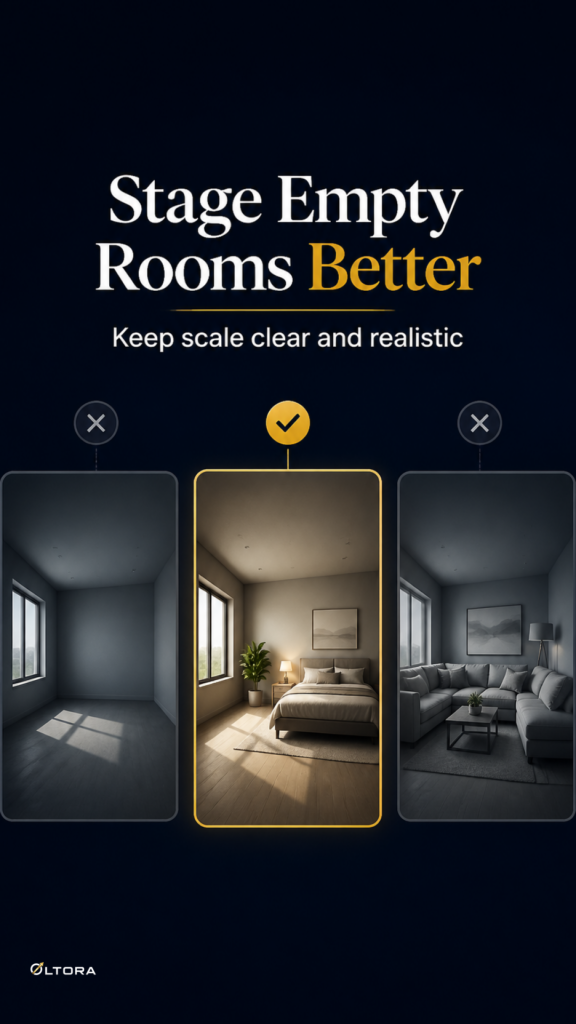
Scale is the part buyers notice even when they do not say it out loud. Oversized furniture can make a room look cramped. Tiny furniture can make it feel awkward or unfinished. A realistic staged image should help the viewer trust the size of the room, not question it.
That is why the service description emphasizes human review for realism, perspective, scale, lighting, and consistency. A staged sofa, bed, table, or desk should sit naturally in the room and leave enough space for circulation. If the layout feels too crowded, the photo stops helping. If the room looks too empty after staging, the edit has not done enough of its job.
Use a style that supports the property, not one that competes with it
Virtual staging does not need to announce itself. A strong edit usually feels calm because the furniture supports the architecture instead of fighting it. The inventory notes several available style directions, including modern, contemporary, Scandinavian, minimalist, transitional, coastal, and luxury styles, with other styles available upon request.
That range matters because one look does not fit every property. A compact apartment may benefit from a lighter, simpler layout. A larger room may tolerate more visual presence. A vacation rental may need to feel inviting without looking overdesigned. Choosing a style is less about decoration and more about making the space legible to the right buyer or guest.
Do not ask staging to do renovation work
A second common mistake is expecting virtual staging to solve problems it was never meant to solve. The service can add furniture and decor, and it can help replace existing movable furniture when appropriate. It does not automatically become a renovation tool. Permanent features such as walls, windows, doors, room layout, built-ins, and fixtures are preserved unless you specifically request conceptual visualization.
That boundary protects the credibility of the image. If a room needs new flooring, paint changes, material replacement, structural visualization, or remodeling concepts, that is a different request and should be discussed before ordering. For standard listing photos, the cleaner move is to stage what the room can realistically become in the viewer’s mind, not to redraw the property.
When empty is not the only issue
Some rooms are not fully empty; they are just under-furnished or carrying the wrong furniture. In those cases, virtual staging can still help, especially when the current pieces are outdated, mismatched, or visually distracting. The inventory also supports furniture replacement, which gives a listing a more polished look without pretending the room has changed into something it is not.
That is useful when a room has enough shape to function, but the current furniture makes it harder to read. Replacing a heavy or awkward setup with something cleaner can improve the whole image without changing the property itself. For occupied listings, that can be a practical middle ground between pure enhancement and full staging.
Send the right kind of photos if you want the staging to hold together
Virtual staging works best when the base photo gives the editor enough information to respect the room. The service recommends original high-resolution JPG, JPEG, or PNG files, ideally the largest available version of each image. Multiple angles help when the same room needs consistent styling across views.
That may sound like a small detail, but it changes the final result. A low-quality file can make the staging look soft or imprecise. A clear original gives more room to place furniture naturally and keep the image believable. If you are preparing a listing set, consistency across angles matters as much as the style itself.
Use virtual staging as a decision aid, not as decoration
The best staged images help buyers answer practical questions: Can I picture living here? Does the room fit my needs? Is the space open enough for the furniture I already own? Once the photo answers those questions, it has done useful work.
If you are working with empty or under-furnished rooms, the goal is not to make every image look dramatic. It is to give the room enough presence that buyers can understand it quickly and trust what they see. That is the point where a staged image becomes a better listing image, not a different property.
For property professionals who want a managed editing service rather than a do-it-yourself staging tool, this approach keeps the process practical: send the original photos, specify the room and the desired direction, and keep the result anchored to the property itself.