
SEO Strategy
How to replace outdated furniture in listing photos
Sep
When the room is fine but the furniture is working against it
A property can be bright, clean, and well laid out, yet still feel harder to trust than it should. One common reason is the furniture. A bulky sofa, a mismatched dining set, or an old bedroom arrangement can make buyers read the room as tired before they notice the actual space.
That is the problem this edit solves. The goal is not to redesign the property or pretend the room was built differently. It is to decide what in the photo is helping the listing and what is distracting from the room itself. In practice, that often means removing visually noisy furniture, replacing it with cleaner pieces, or staging an empty room in a way that helps buyers understand scale and use.
Real Estate Photo Enhancement, Decluttering & Virtual Staging is set up for that kind of work. It includes furniture replacement, object removal, digital cleanup, and realistic virtual staging, with the final image reviewed for realism, perspective, scale, lighting, and consistency.
Start with one question: what is the photo supposed to prove?
Before choosing any edit, decide what the image needs to communicate. A listing photo is not trying to show every item in the room. It is trying to help a buyer understand the space quickly.
- Does the room need to look more open?
- Does the existing furniture make the room feel smaller than it is?
- Do the colors and shapes in the room pull attention away from the layout?
- Would a cleaner furniture arrangement make the property easier to read?
If the answer is yes to one or more of those, the furniture is part of the problem. That does not automatically mean everything must be replaced. Sometimes a small cleanup is enough. Sometimes the room needs more decisive treatment.
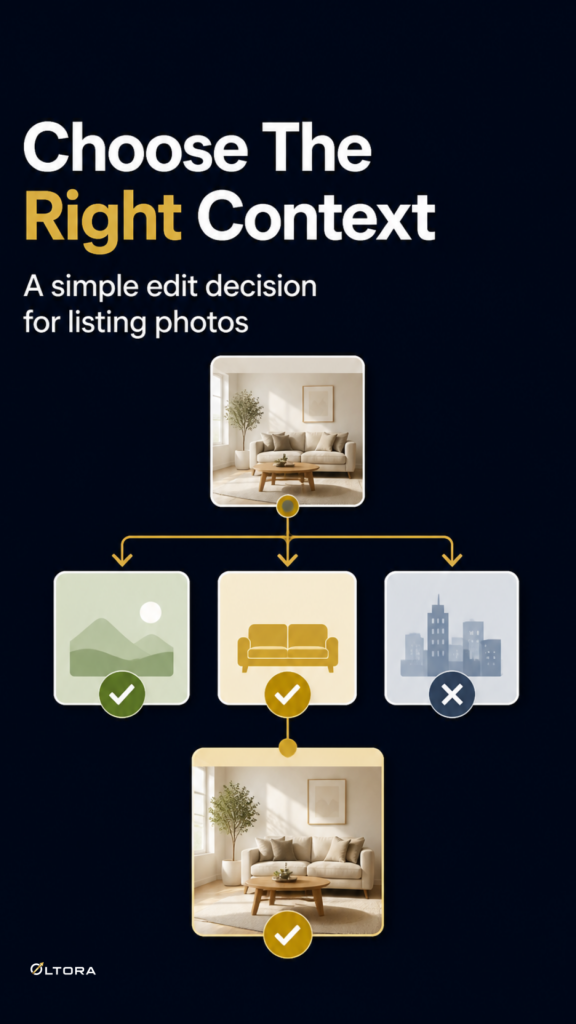
Choose the lightest edit that solves the issue
The safest workflow is to begin with the smallest edit that still gives the room clarity. That keeps the property recognizable and avoids unnecessary reconstruction.
1. Keep the furniture if it supports the room
If the furniture is simple, current, and proportionate, it may only need enhancement around it. Better lighting, cleaner color, and a little visual cleanup can be enough. The room stays familiar, but reads more comfortably.
2. Remove furniture that is visually distracting
When furniture is oversized, cluttered, or awkwardly placed, removing it can make the room easier to judge. This is useful when a piece dominates the frame or makes the space feel more cramped than it really is. Object removal and digital cleanup can help the photo breathe without changing the layout.
3. Replace furniture that dates the room
Some rooms do not need to be emptied. They need a better fit. Furniture replacement is useful when the existing pieces are outdated, mismatched, or visually heavy. A cleaner arrangement can help buyers focus on the room instead of the style of the furniture.
4. Stage the room when it needs a clearer story
If the room is empty or badly under-furnished, virtual staging can show how the space functions. That is different from replacing old furniture. Staging is about making the room legible, not about correcting a bad interior setup.
What makes furniture replacement feel believable
The line between helpful and overdone is usually realism. A good edit should make the room easier to read without turning it into something that no longer matches the property.
That is why the service keeps permanent features recognizable unless you specifically request a conceptual change. Walls, windows, doors, room layout, built-ins, and fixtures are preserved in standard work. The editing focuses on the parts that can be changed without misrepresenting the space.
Use that rule when deciding what to request. If you want the room to look cleaner and better furnished, ask for furniture replacement or virtual staging. If you want to change flooring, paint, or structure, that is a different kind of project and should be discussed separately before ordering.
A practical way to brief the edit
The more specific your instructions are, the easier it is to get a result that matches the listing’s purpose. When you send your photos, describe what the buyer should notice first.
- Tell the editor which furniture should stay unchanged.
- Point out which pieces feel outdated, oversized, or mismatched.
- Say whether the room should look lighter, more modern, or more open.
- If you want staging, mention the room type and any preferred style.
- If you have multiple views of the same room, ask for consistent styling across them.
That kind of brief is more useful than asking for a general “better look.” It gives the edit a target and keeps the room from drifting into a generic finish.
Why the workflow matters as much as the edit
Property photos are often time-sensitive. When a listing is going live, the editing process needs to be straightforward. With this service, the order is placed online, then you reply to the confirmation email from support@oltora.com with your original high-resolution photos and instructions.
That workflow matters for a simple reason: it keeps the project organized around the actual listing images instead of scattered messages or low-quality uploads. The service also notes that original high-resolution JPG, JPEG, or PNG files produce better results than screenshots or heavily compressed images.
If you are dealing with an occupied room, a dated set of furniture, or a space that needs a cleaner presentation, the fastest path is usually not to rebuild the room in your head. It is to decide what the photo must communicate, remove what blocks that message, and only then choose whether furniture replacement or staging is the right level of change.
When to use this service
This kind of editing is useful for Realtors, photographers, property managers, investors, home sellers, vacation rental managers, Airbnb hosts, builders, developers, and commercial property professionals who need listing-ready images without losing the real character of the space.
If the room is already good, enhancement may be enough. If the furniture is the part that makes the listing feel dated or confusing, the more precise choice is to replace it or stage the room so buyers can read it faster.
For the service details and ordering workflow, see Real Estate Photo Enhancement, Decluttering & Virtual Staging.