
SEO Strategy
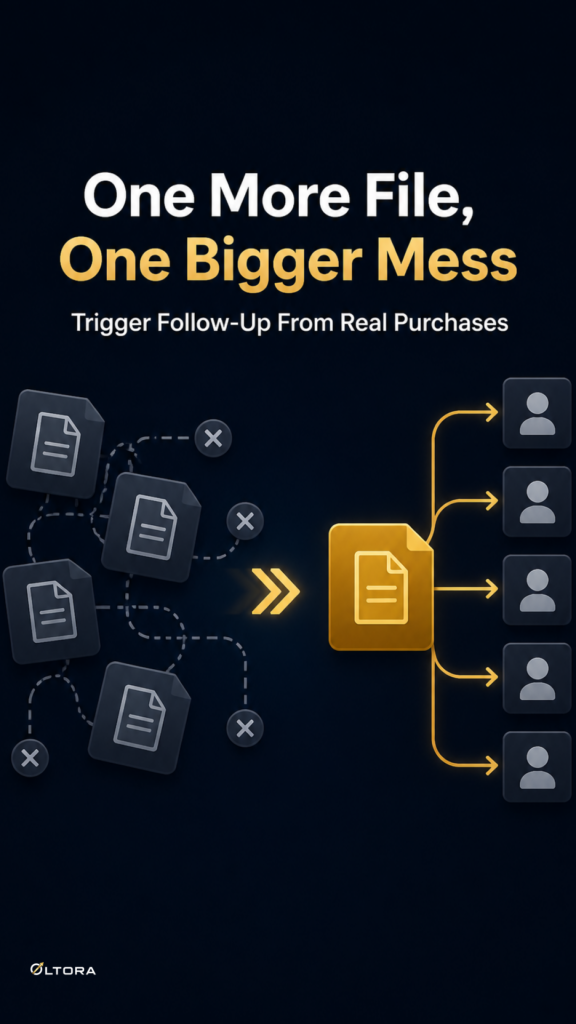
Why one extra downloadable file can expose a weak WooCommerce workflow
Sep
When one more file turns into a workflow problem
A WooCommerce store can handle a single downloadable file with very little drama. The trouble starts when the catalog grows and one product suddenly needs a second file, or several products need the same new asset. At that point, the issue is usually not the file. It is the amount of repetitive admin work wrapped around it.
If you manage manuals, templates, software packages, ebooks, audio, video, or other digital goods, you already know the pattern. A product that looked simple when it launched can become awkward to maintain once the download set changes. You may need to add a new PDF next to an existing ZIP, attach a revised guide without disturbing the current setup, or keep multiple listings aligned while the store team works from the standard WooCommerce product screen.
That is the gap File Bulketor is built to fill. It adds bulk downloadable-file controls directly inside WooCommerce so you can manage more than one file without opening each product separately.
What usually breaks first
The weak point is not the upload. It is the number of places where the same decision has to be repeated.
- You choose the products.
- You choose the file or files from the WordPress Media Library.
- You decide whether the products should be marked as Downloadable or Virtual.
- You decide whether the new files should be added, replaced, or removed.
Each of those steps is manageable on its own. Together, they become a maintenance burden if the catalog is large enough. One forgotten setting is enough to leave a product inconsistent with the rest of the group. That is the kind of drift that creates support questions later, especially when customers expect a download to appear exactly where it should.
This is why the question is not simply “Can WooCommerce store another file?” It can. The more useful question is whether your current workflow makes that update safe to repeat across many products.
Why product-by-product editing becomes risky
Opening products one by one feels controlled, but it is easy to lose precision as the list gets longer. The more times you repeat the same update, the more chances there are to miss one product, attach the wrong file, or leave a record with the wrong download setting.
For a small shop, that may only mean a few extra minutes. For a store with recurring digital updates, it can become a habit that slows every revision. A new version of a manual should not require rebuilding the same setup from scratch. A fresh support document should not force the team to compare half a dozen product tabs just to keep them aligned.
Bulk editing matters because it keeps the action tied to the catalog structure instead of to memory. You decide the group once, then apply the file change to that group in one pass.
Why the Media Library matters more than a loose file path
File Bulketor uses the WordPress Media Library as the source for downloadable files. That may sound like a small implementation detail, but it affects how predictable the workflow is. Store admins are not juggling remote file URLs or manual server paths. They are reusing files already managed inside WordPress.
That approach keeps the job closer to the place where product editing already happens. It also makes the workflow easier to understand for teams that are maintaining a digital catalog over time. The file source stays inside the same environment as the products, which reduces the number of tools involved in one update.
There is one boundary worth keeping clear: the plugin assigns a WooCommerce-managed download copy to the selected products, while the original file remains in the Media Library. That distinction matters when you are planning your catalog maintenance, because it keeps the store workflow separate from the source asset.
When more than one file is the real need
Some products need a single replacement. Others need a second file alongside the first. The practical difference is important.
If a product already has a working download and the new file should join it, the safer move is to add rather than replace. That keeps the existing setup intact while extending it. If the old file set no longer belongs, replacement is the cleaner route. If the product should no longer offer downloads, removal is the right call.
File Bulketor supports those different jobs inside the same bulk workflow. That matters because digital catalogs rarely stay static. A course bundle may gain a revised worksheet. A template set may need a manual added later. A resource pack may be split across several files instead of one.
In each case, the real decision is not only which file to upload. It is whether the existing product setup should stay in place, change completely, or be cleared out.
Why bulk Downloadable and Virtual controls help the same job
Adding files is only part of the update. WooCommerce products also need the right product-type settings. File Bulketor lets you set Downloadable and Virtual in bulk too, so you do not have to treat those settings as a separate cleanup step.
That is useful when a digital product group is being prepared in one pass. You can choose the products, assign the files, and make the product-type changes together. The store team does not need to stop midway through the file work to finish the settings later.
This is especially helpful when the products are already part of a consistent digital inventory. It keeps the admin process more orderly and reduces the chance that one item is left slightly different from the rest.
Who benefits most from this workflow
The strongest fit is for stores that manage many products with shared digital assets. That includes software downloads, PDFs, ebooks, templates, design resources, manuals, audio, video, data files, and digital archives.
The common thread is not the file type. It is the maintenance pattern. If several products often receive the same assets, or if one product tends to accumulate more than one download over time, the work belongs in a bulk editing workflow rather than a manual one.
That is also why the admin-side workflow matters more than storefront presentation here. Customers only see the final download. Store managers have to keep the structure behind it accurate.
A cleaner rule for deciding when to use a bulk tool
If adding the file requires opening each product and repeating the same steps every time, the workflow is already doing too much work for you. That is the point where a bulk tool stops being a convenience and starts being the safer operating model.
Use the bulk path when the same file logic applies to multiple products, when one product needs more than one download, or when you need to keep Downloadable and Virtual settings aligned with the file changes. Keep the manual route for the odd one-off edit that does not justify touching the broader catalog.
That distinction keeps the job practical. It also keeps your digital products easier to maintain as the catalog grows.
If your current process turns every extra file into a round of repetitive editing, File Bulketor gives you a more direct way to manage the work inside WordPress, where product updates already happen.
Keep the question focused
The better question is not whether WooCommerce can store downloadable files. It can. The real question is whether your team can add a second file, or update several products at once, without creating avoidable admin drift. For digital catalogs that change often, that is the part worth fixing first.