
Email Marketing
How to import an existing contact list into WordPress newsletter automation
Oct
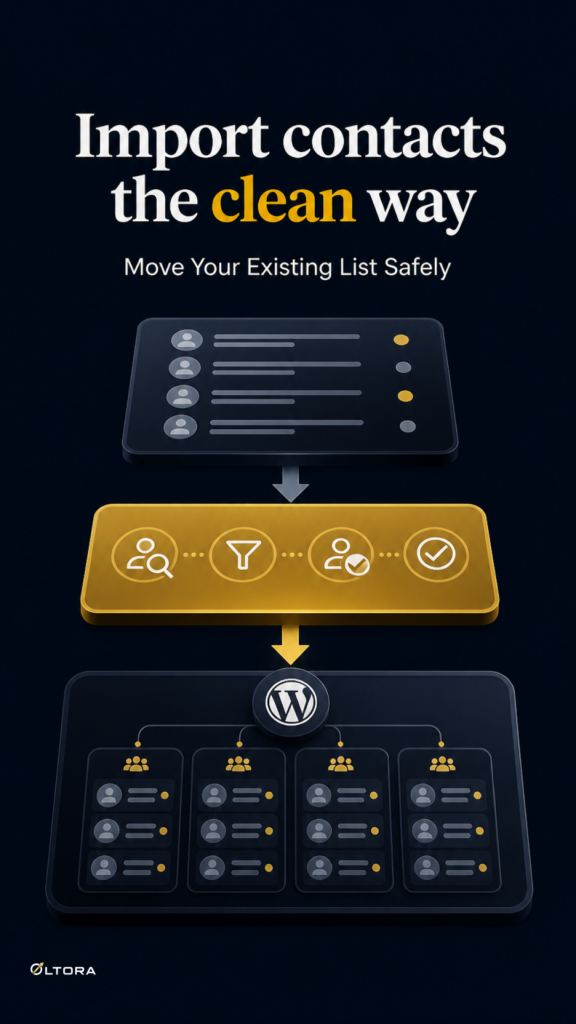
Importing a contact list should not feel like rebuilding your email system
If you already have subscribers, customers, or leads in a spreadsheet, the hard part is rarely the upload itself. The real problem is moving those people into WordPress email automation without creating a messy list that nobody trusts. You need to know what fields belong where, which contacts should enter a journey, and what to check before you let the first email go out.
Oltora Newsletter Pipe is built for that kind of workflow because it keeps contacts, journey organization, delivery history, and tracking records inside WordPress. That matters when you want one site to remain the center of the process instead of splitting the work across separate tools.
Start by separating the list from the journey
An import is not the same thing as an automation trigger. A contact list is just data until you decide how those people should move next. That distinction saves time later, because it keeps you from treating every imported record as if it should receive the same follow-up.
Newsletter Pipe supports contacts entering automation in several ways, including:
- newsletter signup
- manual addition
- CSV or Excel import
- WooCommerce purchase
- purchase of a specific WooCommerce product
- Newsletter Pipe form submission
- a selected Contact Form 7 form
When you are importing an existing list, the practical question is simple: should this contact be added for storage only, or should it also be connected to a sequence? Decide that before import, not after.
Use a sample file before you move the real list
Newsletter Pipe provides a sample import file to show the expected structure. That is useful because a sample file tells you what the plugin expects before you risk a large upload. If your current list already has first names, last names, and email addresses, you can compare those columns to the sample and adjust the spreadsheet to match.
That step is worth doing even when the list looks clean. Imports usually fail in small ways: a column name does not match, a field is in the wrong place, or the file contains more data than the import format is ready to use. A sample file gives you a safe way to catch those problems before they spread through the whole list.
Map only the fields you actually need
Newsletter Pipe’s form builder and contact structure support fields such as first name, last name, email, short text fields, and long message fields. For an import, that means you should only map the information that helps you work with the contact later.
If you are moving from another platform, resist the urge to force every old column into a new home. A cleaner import is easier to maintain than a crowded one. For many businesses, the useful starting point is basic identity and contact data, then any extra notes you genuinely need for segmentation or follow-up.
A practical import check looks like this:
- Does each row represent one real contact?
- Do the email addresses follow a consistent format?
- Are first and last name fields separated if you want them that way?
- Are any notes or custom fields still useful inside WordPress?
Think about duplicates before you upload
If you are importing from a CRM, another newsletter tool, or a mixed spreadsheet, some contacts may already exist in WordPress. That is where a careful import matters most. You want to avoid turning a clean list into a duplicate-heavy one that confuses your follow-up and reporting.
Newsletter Pipe lets you import contacts from CSV or Excel, but the operational decision still belongs to you: check which contacts are already present and decide how you want to handle overlaps before importing again. That is especially important if you are adding the list to an active system instead of starting from scratch.
The safest approach is to treat the import as a controlled migration, not a bulk dump. A few minutes spent checking the source file can prevent a much longer cleanup later.
Choose how imported contacts should enter automation
Once the contacts are in WordPress, the next decision is whether they should enter a sequence immediately. Newsletter Pipe can start a journey from multiple entry conditions, so the import itself does not need to be the end of the workflow.
This is where the plugin is especially useful for businesses with more than one audience. A product buyer may belong in a post-purchase journey. A newsletter subscriber may belong in a welcome sequence. A contact imported from another system may need to be added to a specific path only after you verify that the mapping and source data are correct.
The point is not to force everyone into the same automation. It is to use the import as a controlled entry point into the right one.
Check the sending setup before you activate the sequence
Importing contacts is only one part of the job. If you want to send mail from WordPress, your delivery setup also needs to be ready. Newsletter Pipe works with delivery options such as Brevo, Resend, SMTP2GO, Amazon SES, and Custom SMTP / Hosting SMTP. It also includes built-in diagnostics for SPF, DKIM, and DMARC.
That does not guarantee inbox placement, and it should not be treated that way. Delivery still depends on the provider, DNS, content, volume, bounces, complaints, and other factors outside the plugin’s control. But it does mean you can check the technical side before you start sending to imported contacts.
For a migrated list, that matters. You do not want to discover a sending problem only after you have already assigned the contacts to a live sequence.
Import first, then decide what the list is for
A good import workflow keeps the list usable after the upload, not just during it. That means you are not only moving names and addresses. You are deciding how those contacts fit into the WordPress site that will manage them next.
For some sites, the imported list becomes a newsletter base. For others, it becomes a customer follow-up pool tied to WooCommerce purchases. For others still, it is simply the cleanest way to bring an old contact archive into one self-hosted system and stop maintaining two places for the same audience.
If that is the situation you are in, the next step is not more manual sorting. It is a controlled import, a checked field map, and a sequence plan that matches the contacts you already have.
If you want to see the product behind this workflow, Oltora Newsletter Pipe is the WordPress plugin designed for it.