
SEO Strategy
How to Choose the Right Admin Setup for File Bulketor
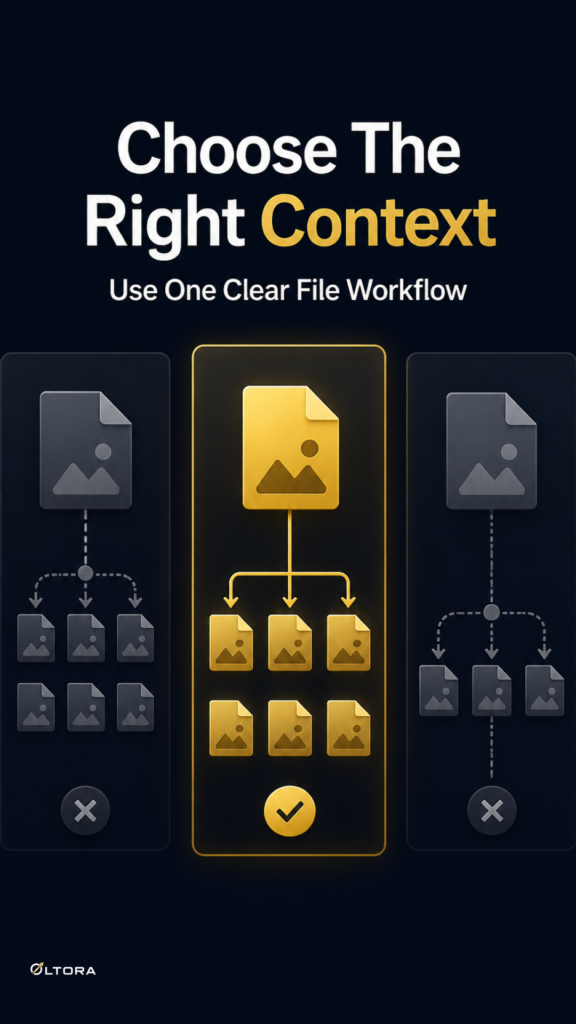
Aug
When a bulk tool is only useful if the setup stays simple
If you manage downloadable products in WooCommerce, the hardest part is not always assigning files. It is deciding how much control you want to keep inside the plugin itself. A bulk tool can save time, but only if its settings are clear enough for the people using it and predictable enough for the person who has to maintain it later.
File Bulketor is designed for a narrow admin job: assigning downloadable files to multiple WooCommerce products through bulk editing. The practical question for a store owner is whether the plugin stays straightforward after installation. That means looking at three things together: the settings screen, the language choice, and what happens when the plugin is uninstalled.
If you want the tool itself to be easy to manage, this WooCommerce downloadable files plugin is built around familiar WordPress and WooCommerce screens rather than a separate system.
The three setup choices worth comparing
There are three decisions that matter before a plugin becomes part of your daily workflow:
- How much of the plugin state you want to keep inside WordPress settings.
- Which admin language your team should see.
- Whether plugin settings, assignments, and notices should be removed during uninstall.
Those choices sound administrative, but they affect real work. A plugin that is hard to configure may be slower to hand off to another editor. A plugin in the wrong language may be easy to install and awkward to use. A plugin that leaves behind settings after removal may be fine for long-term use, but not ideal if you want a clean exit later.
File Bulketor gives you a dedicated top-level administration page, so the setup does not require hunting through unrelated menus. From there, you can review plugin information, choose English or Italian for the interface, and decide what should happen on uninstall.
English vs. Italian: choose for the operator, not for the product
The language choice is simple, but it should be made with the actual operator in mind. If one person manages the catalog and another handles maintenance, choose the language that keeps the admin screen easiest to read for the person doing the work most often. The plugin interface can be displayed in English or Italian, and that matters when you want the bulk editor to feel familiar instead of translated on the fly.
A useful way to think about it:
- Choose English if your team already works in English across WordPress and WooCommerce administration.
- Choose Italian if that makes the plugin easier to use consistently without slowing down routine edits.
The point is not translation for its own sake. It is reducing hesitation when someone needs to bulk edit downloadable products quickly and accurately.
Keep settings when the plugin stays part of the stack
Some stores install a plugin as part of a long-term workflow. In that case, leaving the settings in place is often the practical choice. You may want the interface language, the uninstall preference, and the plugin’s stored configuration to remain available because the plugin is expected to come back into regular use.
That approach fits stores that:
- manage recurring batches of digital products,
- need the same admin team to return to the tool later, or
- prefer not to reset preferences every time the plugin is updated or rechecked.
File Bulketor also keeps the workflow inside the normal WooCommerce product screen. You are not switching to a separate product manager or a custom import process. That matters when the rest of your store management already depends on the standard Products area.
Remove settings when the plugin should leave no trace
Other stores care less about permanence and more about cleanup. If a plugin is being tested, retired, or replaced, the uninstall behavior becomes just as important as the editing workflow. File Bulketor lets you choose whether plugin settings, assignments, and notices should be removed during uninstallation. That gives you a cleaner off-ramp if the plugin is no longer needed.
This is the better fit when you want to avoid leaving behind old plugin state in the dashboard. It is also useful for site owners who prefer to know exactly what remains after uninstall, rather than discovering inactive settings later.
The trade-off is straightforward:
- Keep settings if the plugin is part of an ongoing catalog routine.
- Remove settings if you want a clean uninstall and no leftover configuration.
A practical way to decide before you install
When File Bulketor is a good fit, the decision usually comes down to maintenance style. If you want a plugin that works inside normal WooCommerce admin, uses Media Library files, and gives you control over the interface language and uninstall behavior, the setup remains manageable. If you need a tool that can be dropped in, used by more than one editor, and later removed without clutter, those admin choices are a genuine advantage.
Before you install, ask three questions:
- Who will actually use the plugin most often?
- Which interface language will reduce mistakes?
- Should the plugin clean up after itself if it is removed?
Those are small decisions, but they determine whether a bulk file tool feels tidy or awkward after the first week.
What File Bulketor is built to do
Once the setup is chosen, the plugin’s core job stays focused: it lets you select multiple WooCommerce products, choose one or more files from the WordPress Media Library, and apply downloadable-file changes in bulk. That includes add, replace, and remove actions, plus Downloadable and Virtual product settings. It is meant for stores selling software, PDFs, templates, manuals, audio, video, and other digital files that often need the same assignments across several products.
For readers who want the product detail behind that workflow, the plugin page explains the bulk file controls and settings in more depth: File Bulketor for WooCommerce.
The simplest rule is this: if the plugin is going to live in your workflow, make the admin screen easy to read, make the uninstall choice deliberate, and keep the rest of the setup close to how your team already works.