
SEO Strategy
Why reordered email steps can quietly change a journey
Aug
When a small sequence change creates a bigger problem
A WordPress email journey can look tidy on the screen and still become confusing after a few edits. You add a new message, move one step earlier, or insert a better follow-up in the middle. The sequence still exists, but the meaning of that sequence has changed if the system cannot tell what each contact has already received.
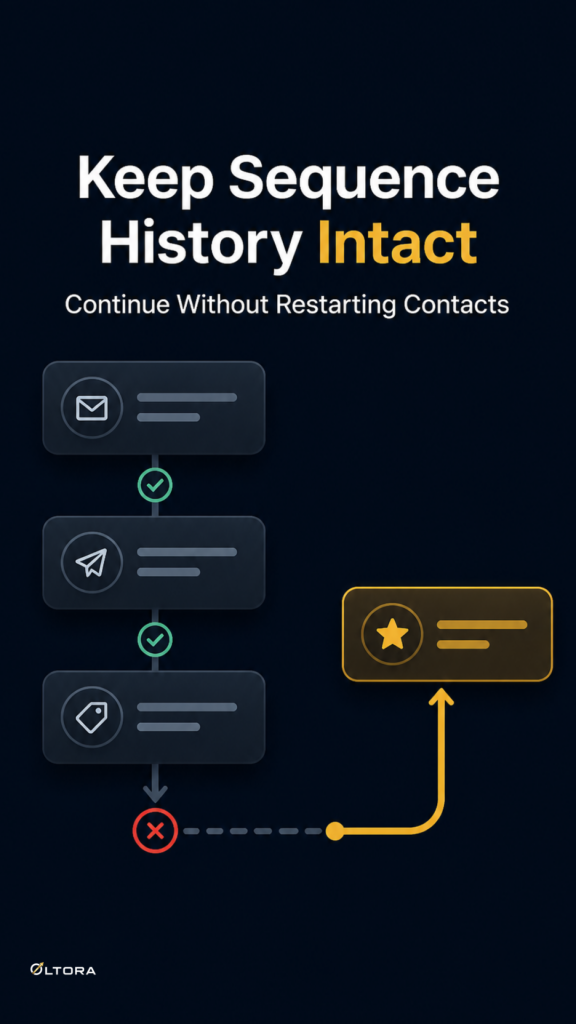
That is where subscriber journey history matters. If a contact already completed part of a sequence, the automation should remember it. Otherwise, a simple rearrangement can lead to repeats, gaps, or contacts being treated as if they are starting fresh when they are not.
Newsletter Pipe is built around that problem. It keeps a record of the email steps tied to each contact’s journey, so extending or reordering a sequence does not have to erase the path a person has already taken. You can see the product here: Oltora Newsletter Pipe.
What goes wrong when history is not preserved
Most sequence problems are not dramatic. They show up as small mismatches that create extra work later.
- A contact receives a message that was already sent before the sequence was changed.
- A new step is added, but eligible contacts are not carried into it.
- A reordered email behaves like a brand-new step for people who already received it.
- The team loses confidence in edits because every change feels risky.
That is a practical cost, not just a technical one. Once a sequence becomes hard to adjust, people hesitate to improve it. They leave useful follow-ups unwritten because they do not want to disturb what is already working. A journey that should grow starts to freeze.
How journey history changes the editing decision
If you can preserve history, the decision to edit becomes much cleaner. You are no longer asking, “Will this force everyone through the sequence again?” You are asking, “Which contacts have already received this step, and which ones should continue from the updated path?”
That distinction matters when you are maintaining an evergreen sequence. The content may stay relevant for a long time, but the order may still need adjustment. A welcome email might need to move earlier. A follow-up might belong after a product explanation instead of before it. A new message may fit naturally between two existing steps.
With history-aware automation, those changes can respect the contact’s progress instead of flattening it. The sequence becomes easier to improve because edits are no longer treated as a reset.
Why this matters for WordPress site owners
For many WordPress teams, the email system sits inside a larger workflow. New subscribers arrive from forms, purchase follow-ups begin after WooCommerce activity, and long-term communication may need to evolve as the site changes. In that setup, sequence history is not a nice extra. It is what keeps the automation readable after the first round of updates.
Newsletter Pipe supports several entry paths, including newsletter signups, manual adds, imports, WooCommerce purchases, Newsletter Pipe forms, and selected Contact Form 7 forms. That means the same contact record may become part of different journeys over time. If the history is preserved well, those transitions stay manageable. If it is not, every new entry point can create more confusion than value.
The same logic applies when contacts reach the end of a sequence and you later add new content. A contact who already completed the earlier path should not need the entire sequence replayed just because the automation changed. A history-aware setup keeps the old path intact and lets the right people continue forward.
Reordering is useful only if it stays trustworthy
People often think about automation edits in terms of convenience. Reordering is convenient, yes, but the real value is confidence. If a sequence can be improved without breaking the record of what happened before, the person managing it can make better decisions.
That can mean:
- moving a clarification email earlier in the journey;
- placing a follow-up after a more relevant message;
- adding a new step later without invalidating earlier progress;
- keeping returning contacts aligned with their existing history.
The point is not to create a more complicated workflow. It is to avoid turning a useful workflow into something fragile. A sequence that remembers what happened before is easier to maintain, easier to trust, and less likely to need manual cleanup after every update.
Where Newsletter Pipe fits
Newsletter Pipe is a self-hosted WordPress email automation plugin, so the core journey data lives inside your WordPress environment. The plugin also includes contact records, delivery history, tracking records, forms, and WooCommerce-related automation tools. For a site owner, that creates one central place to manage sequence logic instead of stitching together separate pieces and hoping the order stays intact.
If your main concern is whether edits will disturb the path existing contacts already took, that is the right lens to use. A sequence should be able to evolve without erasing its own history. That is the difference between a mailing list that merely sends emails and an automation system that can keep up with the business.
For teams that want to keep moving without rebuilding from zero every time a message changes, the practical question is simple: can the system remember what each contact has already seen? If it can, the next edit is much less likely to create avoidable noise.
If you want to explore the plugin details, the target service page is here: Newsletter Pipe for WordPress.