
Custom Development
When a simple product pair should add to cart together
Sep
When the extra clicks are the real problem
A shopper has already decided the items belong together, yet the purchase still breaks into separate steps. One product goes into the cart, then another, then another. By the time the set is complete, the moment can feel less certain than it did on the product page.
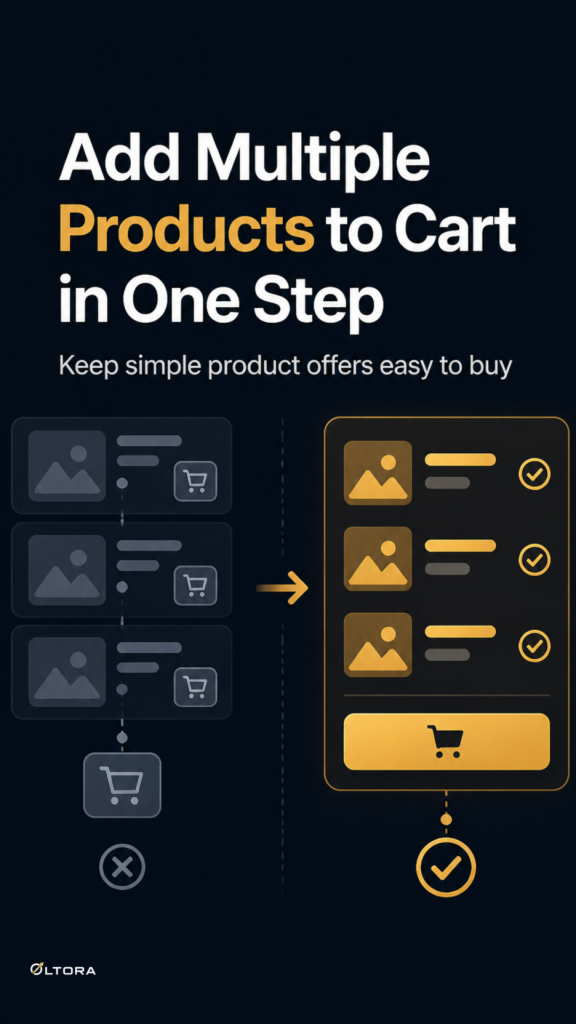
That is the problem Oltora Buy Together for WooCommerce is meant to solve. It gives simple product stores a way to present 2 to 5 related products as one offer, show the original value beside the discounted total, and let shoppers add the whole set in one click. The point is not to replace WooCommerce cart or checkout. The point is to keep the decision on the product page clean enough that the customer can act without hesitation.
This matters most for stores selling simple virtual or downloadable products, or any simple product line where the related items naturally belong together. If you already know which products should move as a set, the question becomes how to make that set easy to understand and easy to buy.
Why one-step addition changes the feel of the offer
There is a difference between a group of related products and a true buy-together offer. A group asks the shopper to assemble the cart. A buy-together offer does the assembly for them.
That shift changes the reading of the page in a practical way:
- The shopper sees the products as one decision instead of several.
- The discount is visible before any action is taken.
- The add-to-cart step becomes a single move instead of a sequence.
For simple WooCommerce products, that is often enough. You do not need a complex bundle builder with every possible condition. You need a clear storefront pattern that helps the customer move from interest to cart without making them work for the final step.
Keep the structure focused on the set
Oltora Buy Together supports 2 to 5 simple products in one offer. That range is narrow on purpose. It encourages a clean decision, which is usually easier to scan than a crowded bundle with too many items.
The offer can show the original combined value and the discounted total. That comparison gives the shopper a quick frame for understanding the offer. The value of the set is visible before the click, so the action feels more informed and less like a leap.
It also supports two discount styles: fixed or percentage. The best choice depends on how you want the offer to read on the page. A percentage is often easier to recognize at a glance when you want the savings message to feel immediate. A fixed discount can be useful when you want the total reduction to stay concrete and simple. Either way, the offer still works as one complete set.
What this solves for simple-product stores
Some stores do not need a full bundle system because the products are already straightforward. A virtual guide and a companion template. A physical product and the add-on that goes with it. A downloadable file and the related file pack. In cases like those, the challenge is usually not complexity. It is friction.
When the items are simple, the offer should stay simple too. Oltora Buy Together is designed around that idea:
- combine related simple products on a product page
- show the original value and the discounted total
- let the customer add the complete set to cart in one click
- keep the normal WooCommerce cart and checkout flow intact
That last point matters. If your checkout process already works, you do not need a new one just to present a better offer. The plugin fits into the page before checkout, where the buying decision is still being made.
Where this approach fits best
The cleanest use case is a merchant who knows the customer is likely to buy related simple products together and wants to reduce the number of clicks required to do it. That could be because the products are complementary, because the store sells small product sets, or because the page needs a clearer path from interest to cart.
It is also a practical fit when the store owner wants more control over how the offer is presented. The customer-facing text can be customized, so the Buy Together heading, the discount badge, the original value, the new total, and the add-all action can all match the store’s tone. That kind of control helps the offer feel like part of the shop rather than a separate widget dropped onto the page.
What the plugin is not trying to do
There is a reason this type of tool can be useful. It stays focused.
Oltora Buy Together is built for simple products. It supports simple, simple virtual, and simple downloadable products. It does not claim support for variable products, variation selectors, grouped products, or external products. It is also not positioned as a broad kit builder with layers of conditional logic.
That restraint is a strength if your goal is a clearer offer rather than a larger system. When the product page already contains enough information, the better move is often to reduce decisions, not add more of them.
How to judge whether this is the right fit
Ask one question: do your related products already belong together strongly enough that the shopper should not have to assemble them item by item?
If the answer is yes, a buy-together offer can do useful work. It can make the savings visible, keep the products in one decision block, and shorten the route from product page to cart. If the answer is no, the offer may be too broad and would need a different merchandising approach.
For stores that do have that clear relationship between products, the benefit is practical rather than flashy. The page asks less of the shopper. The offer reads faster. And the existing WooCommerce checkout remains the same.
That combination is often enough. Not every product-page improvement needs to feel larger than the problem it solves. Sometimes the best result is a cleaner path for a customer who already knows what they want.