
SEO Strategy
When one WooCommerce category needs more than one breadcrumb path
Sep
When the default path feels right in the admin but wrong on the page
A WooCommerce store can look tidy in the backend and still send shoppers through a breadcrumb trail that no longer fits the way the catalog is used. That usually shows up when one category does more than one job. Maybe it groups products for internal organization, but shoppers are expected to move through a curated collection page or a branded landing page instead of the default archive.
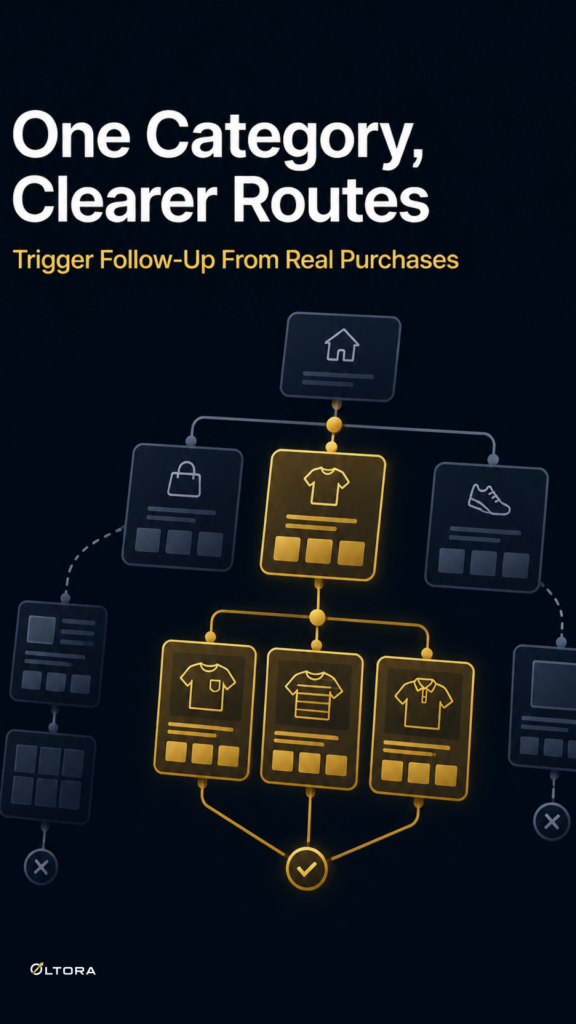
The hesitation is understandable: if you start changing breadcrumb paths, will you end up with a navigation mess? That risk is real only when every product is forced into one universal rule. Breadcrumbetor is built around the opposite idea. It lets you create custom breadcrumb paths, assign them to different product categories, replace default category links, and manage optional redirects directly from WordPress.
That means the question is not whether breadcrumbs should exist. The question is whether one category should always lead to the same destination.
Why a single breadcrumb path can become the wrong shortcut
Default WooCommerce breadcrumbs usually follow the category structure as it exists in the store. That works when the category hierarchy is simple and each category has one obvious return path. It becomes less useful when the same category has multiple roles.
For example, a product group might belong to a broad category in the admin, but your team may want shoppers to move through a specific collection page such as Home / Jewels / Product Name rather than the plain archive. In that case, the breadcrumb is no longer just a location marker. It becomes a navigation choice.
This is where people often worry about overcomplicating the store. If a category can point to more than one place, won’t that create confusion? Not if the rules are organized by category and managed in one place. Breadcrumbetor is designed for that kind of control.
What changes when you treat breadcrumb rules as separate from categories
The most useful shift is mental, not technical. A category is the product group. A breadcrumb path is the route you want visitors to take from that group.
Once you separate those two things, several practical options open up:
- One product category can point to a custom landing page instead of the default archive.
- Different collections can have different breadcrumb paths, even inside the same store.
- Optional route rules can connect an original path to a new destination when you need that transition.
- You can manage saved rules from WordPress instead of editing theme files.
This is especially helpful when the store has curated sections or branded collection pages that need to stay distinct. The product may live in one category, but the breadcrumb can still guide shoppers to the page that makes more sense for browsing.
How to avoid creating a rule you will regret later
The main failure mode is not technical. It is overfitting the path to a single product page and then forgetting how the rest of the category behaves. A breadcrumb rule should solve a routing problem, not create one.
A simple way to check the decision is to ask three questions before you create or edit the path:
- What page should shoppers naturally return to from this product?
- Does the category still serve as the best browsing hub, or is a custom landing page clearer?
- Will this rule make sense if the category grows or the collection changes later?
If the answer points to a specific landing page, Breadcrumbetor can replace the default category link and keep the breadcrumb aligned with that destination. If the answer is less clear, it is better to leave the path simple than to assign a rule that nobody on the team can explain later.
Why no-code control matters when the catalog keeps changing
Breadcrumb changes often happen in the same moments as catalog changes. A campaign launches, a seasonal collection appears, or a category starts serving a new role. If every breadcrumb adjustment requires theme edits, the rule gets postponed until the navigation feels stale.
That is the practical advantage of managing it inside WordPress. Breadcrumbetor includes a dedicated interface for creating, saving, editing, activating, deactivating, and deleting breadcrumb paths. The admin area is available in English and Italian, which helps if more than one team member needs to work with the same setup.
For stores that prefer no-code administration, this is the difference between a rule you maintain and a rule you avoid touching.
When optional redirects are worth using
Not every breadcrumb update needs a redirect rule. Sometimes the breadcrumb path is the only thing that needs to change. But if a category’s original route and its new destination both matter, optional redirects can help keep the old path from lingering as a dead end.
That is useful when you are moving from one category route to a more curated landing page. The breadcrumb can point shoppers to the new path, while the optional redirect helps the transition stay consistent for anyone who still reaches the old route.
The point is restraint. Use the redirect when it supports the route you want visitors to follow. Leave it out when the breadcrumb itself is the only piece that needs a cleaner destination.
A better breadcrumb rule is usually a simpler one
Store owners sometimes assume that more breadcrumb options will make navigation harder to maintain. In practice, the opposite is often true. A single rigid path is what creates friction when categories serve different jobs.
Breadcrumbetor gives you a way to keep the rule tied to the category while still changing the route the shopper sees. That matters most in stores built around custom collection pages, category-based campaigns, or product groups that need their own navigation logic.
If your product pages are already organized but the breadcrumb trail still feels too generic, the problem may not be your category structure. It may be that one path is carrying too much work.
For store owners who want that control without theme edits, Breadcrumbetor is the plugin built for the job.