
SEO Strategy
When cloud-assisted fraud intelligence is worth adding to WooCommerce checkout protection
Sep
When checkout feels uncertain, but the order still looks normal
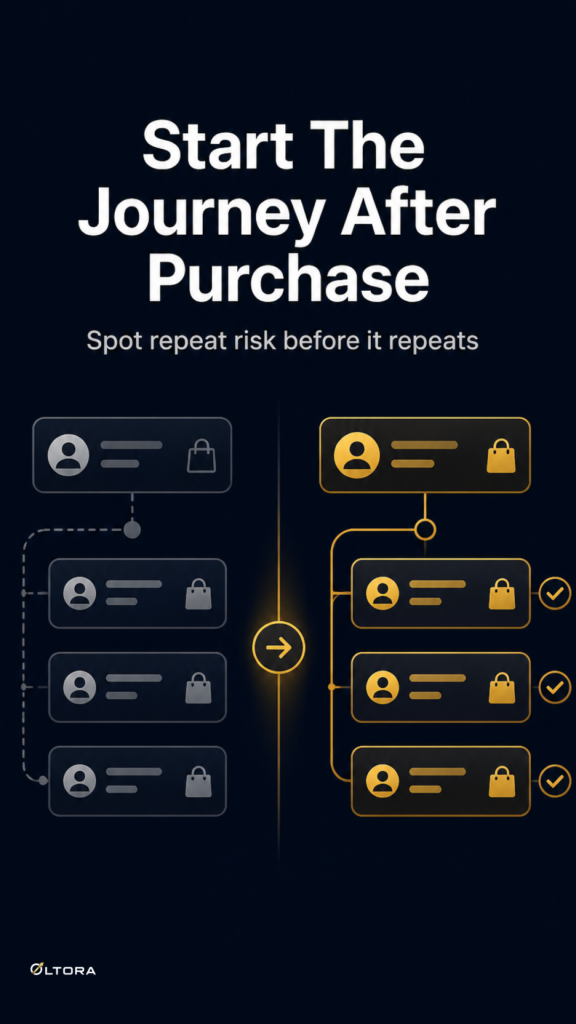
A WooCommerce store can receive an order that seems ordinary on the surface and still leave you with a nagging question: is this a one-off, or the start of a repeat pattern? The customer details may not obviously clash. The cart may not look strange. But the order still feels worth a second look.
That is where basic local protection can start to feel limited. Local checks are useful, but they only see what happens inside the store itself. If you are dealing with suspicious activity, repeated attempts, or checkout behavior that keeps feeling familiar in the wrong way, you may need a deeper review layer rather than a louder rule set.
OrderFort Premium for WooCommerce is built for that situation. It adds advanced protection controls, cloud-assisted fraud checks, an Activity screen, and IP & Blocklist management for stores that want more visibility without turning checkout into a manual process.
Why local-only protection can leave gaps
A basic fraud filter can catch obvious problems and help reduce noise. But when suspicious behavior is more subtle, local checks may not tell you enough about whether an order is isolated or part of a pattern worth blocking.
That often leaves store owners asking a practical set of questions:
- Has this kind of activity shown up before?
- Should this customer detail be watched, blocked, or only reviewed?
- Is the current order a one-off or part of something repeatable?
Cloud-assisted fraud checks add another signal layer beyond local-only screening. According to the product description, OrderFort Premium uses shared fraud indicators through the OLTORA network. For a store owner, that means the protection layer is not limited to a single checkout event sitting by itself.
What the premium layer changes in practice
The value of a stronger fraud setup is not just that it blocks more. It is that it helps you sort what deserves attention.
OrderFort Premium gives you tools that support that decision-making process:
- Activity screen to review suspicious and blocked events
- IP & Blocklist management to keep control over identities that keep reappearing
- Manual blocking for specific IPs, emails, phones, names, and addresses
- Cloud-assisted checks that add shared indicators through the OLTORA network
That combination matters when an order is not obviously fake, but the surrounding details make you hesitate. A store does not always need a blanket rule. Sometimes it needs a place to review the event, then a way to act on the pattern if it returns.
When deeper visibility is the better fit
The right time to move beyond quiet background filtering is usually when checkout starts producing questions you cannot answer quickly.
For example, a store may see:
- repeated suspicious activity tied to similar identities
- orders that look normal until they are compared with earlier blocked attempts
- the same kind of risky detail showing up in different combinations
In those cases, an Activity screen is more useful than a silent log you never revisit. It gives you a clear place to inspect what happened and decide whether the issue is worth a blocklist entry or just a closer watch.
That is a practical difference. A store owner does not have to guess from memory. The review process stays inside WordPress, where checkout risk screening already happens.
Manual blocking works best when the problem has a name
Some fraud problems are broad. Others are surprisingly specific. A certain IP keeps returning. An email pattern looks familiar. A phone number or address appears again after a suspicious order was already flagged.
That is where manual blocking becomes more useful than trying to make every rule broader. OrderFort Premium supports blocking specific IPs and customer details so you can respond to repeat offenders without overcomplicating the checkout path for normal buyers.
It is a cleaner approach when the risk is tied to identities you can actually name. Instead of asking the store to judge every odd order the same way, you can separate review from enforcement.
A useful way to think about Premium
Premium is not trying to replace your checkout workflow. It is trying to give you a clearer way to manage the risk that reaches it.
That makes the product fit a specific kind of store owner: someone who already knows fake orders and suspicious patterns are a real operational issue, but who also wants the response to stay organized. If you only need a quiet base layer, simpler protection may be enough. If you need to investigate suspicious activity, review blocked events, and act on repeated patterns, the premium tools give you more control.
If you want to see the product details directly, the OrderFort Premium for WooCommerce page outlines the advanced protection layer, cloud-assisted fraud checks, and IP & Blocklist controls.
What this solves for a busy WooCommerce team
The real advantage here is not a promise of perfect prevention. It is a better workflow for stores that already deal with uncertainty at checkout.
Instead of treating every suspicious order as a separate judgment call, you get a structure:
- screen the order
- review the event
- block repeat offenders when the pattern is clear
That keeps the process focused. It also keeps the store from relying on scattered notes or memory when a suspicious customer returns. For teams that need stronger fraud control without turning checkout into a bottleneck, that balance is the reason Premium exists.
The useful question is not whether fraud protection should exist. It is whether your current setup gives you enough visibility to respond when the same risk keeps coming back. If the answer is no, deeper cloud-assisted checks and a stronger review layer are worth considering.