
Custom Development
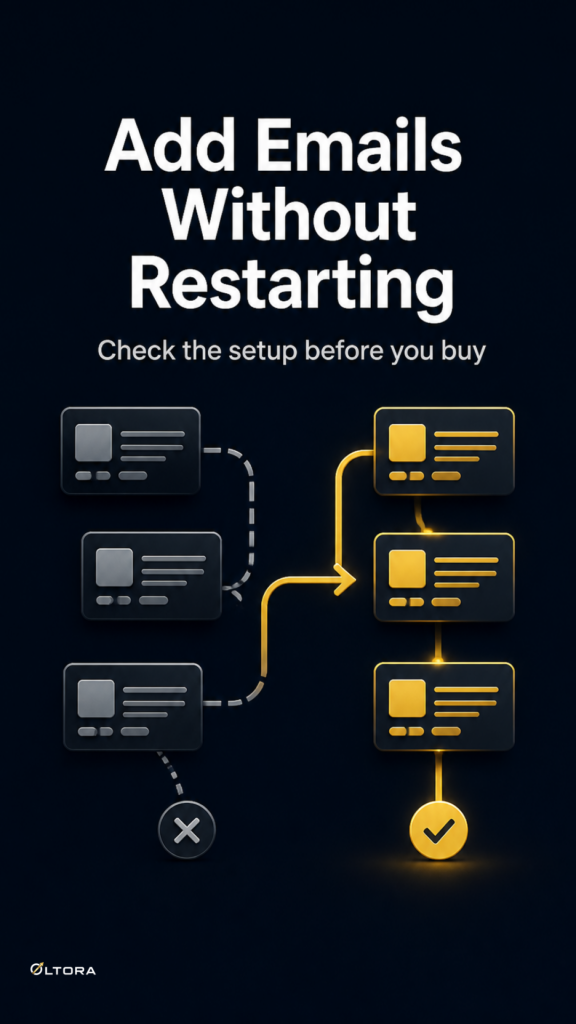
Why your Buy Together offer should be easy to change later
Sep
When the offer works now, but maintenance is the real test
A Buy Together section can feel finished the moment it starts adding items to cart cleanly. That is not the point where most store owners run into trouble. The trouble usually shows up later, when a product is renamed, a related item is retired, a discount needs to be adjusted, or the page layout changes and the offer no longer fits quite as neatly as it once did.
If you are choosing a frequently bought together setup for WooCommerce, the real question is not only whether shoppers can understand it quickly. It is whether you can still work with it comfortably after the product page changes around it. A lightweight offer is often easier to keep aligned with the rest of the store because it stays focused on a small, specific job.
Oltora Buy Together for WooCommerce is built around that kind of focused workflow: 2 to 5 simple products, a visible original-versus-discounted comparison, and one Add All to Cart action that keeps the normal WooCommerce cart and checkout flow in place.
Why easy-to-read offers can become hard to maintain
The first version of a Buy Together offer usually reflects the products you know best. You can spot the obvious pairings, choose a discount shape, and publish the section with a clear mind. Months later, though, the store is rarely in the same shape.
One product may no longer be the right companion. Another may be temporarily out of stock. The language on the product page may have shifted toward a new collection or category. If the offer depends on a lot of moving parts, those changes can turn a simple promotion into a regular maintenance task.
That is why a focused storefront format matters. Oltora Buy Together is not trying to behave like a full bundle builder with broad product logic. It is designed for stores that want a specific cross-sell decision to stay understandable and manageable. That narrower scope can be a strength when the team needs to update offers without rebuilding them from scratch.
What changes months later
When you review a Buy Together offer later, the questions tend to be practical rather than strategic:
- Does the set still make sense as a group?
- Can the discount still be explained in one glance?
- Does the offer still fit the product page without competing with the main purchase decision?
- Will the same structure still work if one related product changes?
The answer often depends on how much the offer asks you to manage. A section built around 2 to 5 simple products is easier to review than a larger structure with many conditions. If the promotion is meant to show savings immediately on mobile or desktop, clarity has to survive the next round of store edits, not just the first launch.
That is also why simple-product support matters. Oltora Buy Together works with simple WooCommerce products, including simple virtual and downloadable products, and it does not try to cover variable products, grouped products, or external products. For a merchant planning maintenance over time, that limit can be useful because the offer stays tied to a predictable product type.
How to judge whether the offer will age well
If you are choosing between a focused Buy Together section and a broader bundle setup, look at the maintenance workload instead of the feature list alone. A practical test is to imagine the page six months from now.
Ask yourself what would need to change if you reordered the products, swapped one item, or adjusted the discount. If that change would force you to rethink the whole offer, the structure may be too heavy for the kind of promotion you want. If the update is more like replacing one part inside a small, readable set, the offer is probably closer to the right size.
That matters because product-page merchandising tends to evolve. The team adds a banner. The category framing changes. A product gets renamed to match new inventory language. The best offers are the ones that can absorb that kind of change without losing their shape.
Why the cart flow should stay familiar
One of the quieter benefits of a focused Buy Together setup is that it does not force a new buying system on the customer. The shopper still moves from product page to cart to checkout in the normal WooCommerce flow. The offer simply reduces the work needed to assemble the set.
That distinction helps maintenance too. If the offer lives inside the usual storefront flow, you are less likely to end up with a separate process that needs special explanations, extra checks, or custom handholding every time the store changes. The promotion can be updated as merchandising changes, while the checkout path stays familiar.
For stores that want to preserve that simplicity, the safest choice is often the one that keeps the offer specific. A clear Buy Together section does less, but the part it does is easier to keep aligned.
What this means for the decision
If you are comparing options before buying, do not stop at the front-end appearance. A Buy Together layout may look tidy on the page and still create friction later if it is too broad, too hard to revisit, or too dependent on a complicated setup.
Use the maintenance question instead: will this still be easy to adjust when the store changes? If the answer depends on a long chain of edits, the offer may be heavier than it needs to be. If the answer is yes because the promotion is built around a small, simple set of products, that is usually a better sign.
That is where Oltora Buy Together for WooCommerce fits best. It gives WooCommerce stores a clear, Etsy-style buy together presentation without turning the offer into a large bundle system. For merchants who want related products to move together in one step and still stay manageable later, that focus is often the difference between a useful promotion and another workflow to babysit.