
SEO Strategy
Why Compressed Listing Photos Ruin Exposure Edits
Oct
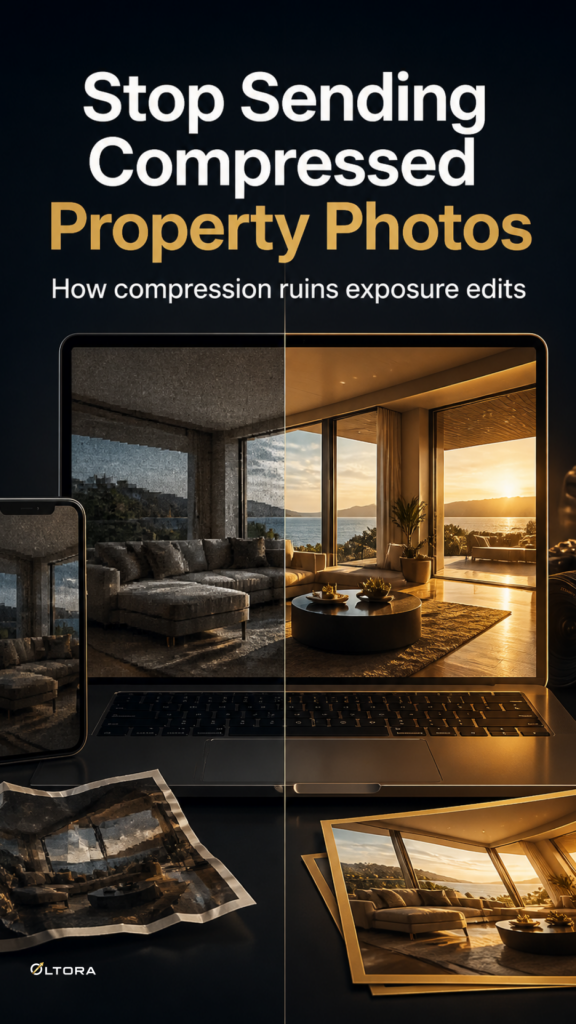
When a real estate agent rushes to push a new residential listing live, the temptation to pull preliminary snaps straight from a messaging app or social feed is understandable. A property manager might grab a compressed mobile upload or a quick screenshot to speed up initial property marketing. However, when those compressed files are handed over for post-processing, lighting and color adjustments frequently fall apart. Instead of smooth, professional highlights and balanced interior shadows, the edited images often display harsh color banding, muddy pixelation, and blotchy exposure shifts. This workflow is available through Real Estate Photo Enhancement, Decluttering & Virtual Staging. This workflow is available in Real Estate Photo Enhancement, Decluttering & Virtual Staging.
Understanding why lossy image compression destroys dynamic range helps explain why human editors require uncompressed master files to properly correct lighting and color balance. When an image undergoes heavy compression on social platforms or messaging apps, the algorithm permanently discards high-frequency pixel data, flattens subtle tonal transitions, and compresses color depth. When an editor attempts to lift shadows or correct the white balance on a degraded file, those missing color steps become glaringly obvious.
What Compression Artifacts Do to Property Lighting Edits
Lossy file formats rely on quantization—grouping adjacent pixels into uniform color blocks to save storage space. In a real estate context, this compression hides crucial transitional details where walls meet ceilings or where natural window light spills across a hardwood floor. When you try to adjust exposure or color balance on these compromised files, the editing software stretches those compressed color blocks rather than true photographic detail.
- Color Banding: Smooth gradients across bright windows or neutral walls turn into harsh, stepped rings of mismatched color.
- Shadow Noise: Deep interior corners and under-cabinet areas reveal blocky digital noise instead of clean architectural depth.
- Blown Highlights: Light sources lose their natural roll-off, appearing as harsh white squares rather than soft illumination.
These limitations affect every tier of visual cleanup, whether you are utilizing basic lighting correction, digital decluttering, or comprehensive Real Estate Photo Enhancement, Decluttering & Virtual Staging. Even modern editing tools and careful human review cannot reconstruct high-frequency pixel data that was permanently erased by aggressive compression algorithms.
The File-Quality Recovery Checklist
Before submitting property images for professional enhancement, checking your source files prevents disappointing results and unnecessary revision rounds. Follow this practical recovery checklist to secure salvageable master files:
- Locate Original Device Files: Pull images directly from the original camera roll, memory card, or property photographer delivery folder rather than downloading them from a web portal or chat app.
- Verify Format and Resolution: Confirm you are sending original high-resolution JPG, JPEG, or PNG files rather than screen captures or web thumbnails.
- Check File Sizes: Genuine high-resolution property photos typically measure several megabytes per file; images under a few hundred kilobytes usually indicate severe compression.
- Review Multi-Angle Consistency: Ensure all matching angles of a room come from the same shooting session so lighting adjustments apply evenly across the set.
Submitting clean source files allows professional editors to deliver polished, natural results starting at $15 for single images, with typical turnaround times ranging from one to four business days depending on package volume.