
SEO Strategy
How merchandising teams decide scan speed for competitor prices
Sep
The problem is not too little monitoring
If you manage merchandising or pricing across a competitor set that includes both direct rivals and broader ecommerce retailers, the hard part is rarely finding the right tool. The harder part is deciding how often each competitor deserves attention. One store may move quickly around promotions, while another changes more slowly. If you scan them all the same way, you either miss useful changes or fill the team with noise.
That is why scan speed should follow the decision each competitor affects. Oltora Price Monitor gives you per-competitor scan frequencies inside WordPress, so you can treat a fast-moving store differently from a quieter one without splitting the workflow across separate systems. You can keep the monitoring record in your own WordPress database and review price increases, decreases, and price history from the dashboard.
For teams that want the overview and the detail in one place, the plugin is designed around that rhythm. You are not guessing from browser tabs. You are choosing a cadence that matches the role each competitor plays in the buying and merchandising conversation.
Start with the store’s role in your decision process
A good scan schedule begins with a practical question: if this competitor changes price, who needs to know, and how quickly? That answer usually separates stores into different groups.
- Fast-moving competitors: stores that affect promotions, price matching, or short review cycles.
- Reference competitors: stores you watch for context, but do not react to every movement.
- Broader retailers: larger ecommerce players that can influence your positioning even when they are not a direct head-to-head match.
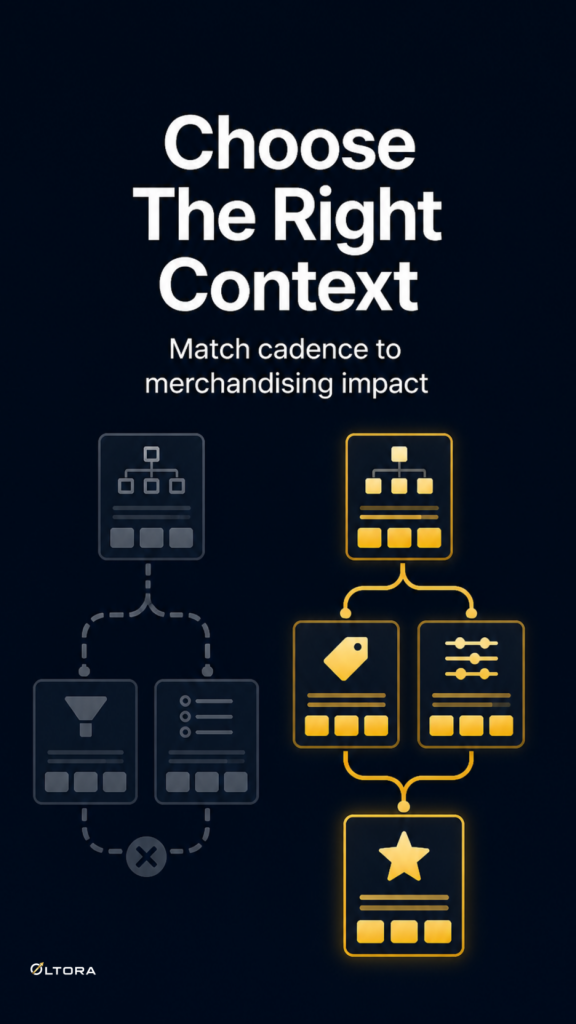
Once you think in those terms, a single monitoring cadence starts to look blunt. Oltora Price Monitor lets each competitor have its own schedule, with intervals such as every hour, every 3 hours, every 6 hours, every 12 hours, every 24 hours, or every 48 hours. That range is useful because it gives you a tighter watch where it matters and a lighter touch where it does not.
A store that only shapes quarterly or seasonal planning does not need the same attention as a rival whose prices affect weekly decisions. The point is not to monitor everything aggressively. The point is to avoid wasting your team’s review time on changes that will never alter the next action.
What a tighter cadence should actually protect
A faster scan schedule is only worth using when it helps the team act sooner or with more confidence. In practice, that usually means one of three things: catching a price increase before it changes your positioning, spotting a discount before it pulls attention away from your offer, or confirming whether a move is isolated or part of a pattern.
Because Oltora Price Monitor keeps price history in the WordPress database, you can look at changes by day, week, last 30 days, or a specific date. That matters when a single scan tells you very little on its own. The history helps you see whether the store changed once, kept moving, or returned to an earlier price point.
The dashboard also shows product-level details such as the previous price, the current price, and the direction of change. That makes the schedule more than a timing choice. It becomes a way to make sure the data you review is detailed enough to support a real merchandising decision.
Use daily summaries for the people who need them
Not every team member needs to sit inside the dashboard. Oltora Price Monitor supports daily email digests, and each competitor can have its own recipient list. That is useful when different roles care about different stores. A pricing manager may need one set of alerts, while an ecommerce manager or commercial lead needs another.
This is where scan frequency and reporting should work together. If a competitor is watched closely, the daily summary can confirm what changed without forcing everyone to log in. If another store is on a slower cadence, the digest can remain light and still keep the right people aware of meaningful movement.
The key is to avoid turning alerts into background noise. A shorter scan interval only helps when the reporting layer remains selective. Otherwise, the team gets more messages without a clearer decision path.
Why WordPress-native monitoring helps the workflow stay manageable
Some teams prefer their monitoring data to stay inside the same WordPress environment they already manage. Oltora Price Monitor is self-hosted for its core monitoring data, so monitored stores, product records, and detected price changes stay in the WordPress database on the site where the plugin is installed.
That setup is useful when competitor tracking sits alongside other store work and should not become another disconnected dashboard to maintain. You can monitor supported WooCommerce and Shopify competitor stores directly from WordPress, assign scan timing by competitor, and keep the history close to the site it informs.
If you need to build that workflow from the dashboard, the product page explains how the plugin fits into a self-hosted setup: Oltora Price Monitor.
A practical rule for choosing scan speed
If a competitor’s price movement would change what your team does next week, it usually deserves a tighter scan schedule. If it only adds context, slower monitoring is often enough. That simple rule is usually more helpful than trying to treat every store as equally urgent.
In other words, scan speed is a workflow choice. The best cadence is the one that keeps the right changes visible without making the team sort through a pile of movements that never needed action.
For merchandising teams watching a mixed competitor list, that is often the real win: one dashboard, different schedules, and alerts that match the people who actually use them.