
Email Marketing
When abandoned carts need a cleaner handoff point
Sep
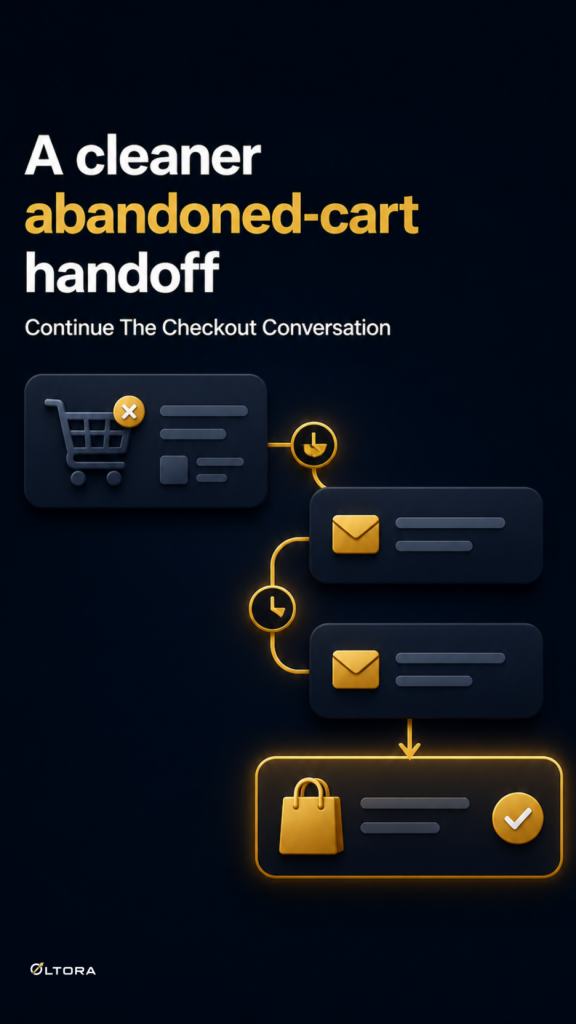
If your WooCommerce store already sends abandoned cart emails, the next decision is rarely about adding “one more reminder.” The real question is whether the checkout event can hand off cleanly into a sequence that still makes sense after you update it. That is where a lot of recovery setups become awkward: the reminders exist, but the workflow behind them feels fragile the moment you want to extend it.
That hesitation is reasonable. A store owner may not want to rebuild a working sequence just because the follow-up needs to change. They may also not want abandoned cart contacts mixed into a general newsletter path that has nothing to do with an unfinished checkout. Oltora Newsletter Pipe is built for that kind of WordPress workflow. You can see the product here: Oltora Newsletter Pipe.
What a clean handoff actually solves
A good abandoned cart workflow does more than send reminders after a purchase is left incomplete. It keeps the original checkout event at the center of the journey, then stops the reminders when the order is completed. That matters because the recovery path should feel connected to the customer’s action, not like a separate campaign that happens to mention a cart.
In practice, a clean handoff helps you avoid three common problems:
- sending follow-ups that keep running after the customer has already bought;
- forcing abandoned contacts into a sequence that was meant for newsletter signups or post-purchase education;
- losing track of where the recovery path begins and ends once you update the sequence later.
Newsletter Pipe is designed around journeys that can keep evolving. That means you can start with a simple abandoned checkout reminder path and still have room to add new email steps later without treating already-finished contacts as if they were starting from scratch.
The objection: a separate email stack should be enough
Many store owners already use another email tool and wonder whether a WordPress-based setup is worth changing. If all you need is a basic reminder, that skepticism makes sense. But abandoned cart recovery is not only about sending an email. It is about how the trigger, the contact history, and the sequence state stay aligned while the store changes.
With Newsletter Pipe, the workflow stays inside WordPress. Contacts, sequences, delivery history, and tracking records remain part of the same environment that already knows about your WooCommerce store. That makes it easier to see the recovery journey as a connected process rather than a separate list in a separate tool.
This also matters if your business keeps adding new follow-up messages over time. A sequence that can grow is easier to maintain than one that has to be copied, split, or restarted every time you want to refine it.
What the recovery journey should keep track of
For abandoned cart recovery to stay usable, the workflow has to remember more than the fact that someone left checkout. It needs enough structure to know:
- which checkout event triggered the journey;
- which reminder emails belong to that recovery path;
- when a customer has already completed the order;
- when remaining reminders should stop.
That is why a fixed “set it and forget it” sequence can become a maintenance burden. It may look finished when you first launch it, but the minute you want to change the timing or add a new reminder, the question becomes whether your current setup can handle the revision without confusion.
Newsletter Pipe is built to continue eligible contacts through newly added emails in a growing sequence. For abandoned carts, that gives you room to improve the follow-up without treating every edit like a new campaign.
Why WordPress ownership changes the decision
When the checkout, the contact record, and the automation all live in WordPress, you spend less time moving between systems to understand what happened. That is useful when a recovery path is still being refined. It is also useful when a team member needs to check why a contact was entered into a sequence, or whether a reminder should still be active.
The same logic applies if your site already captures leads through forms. A contact from a newsletter signup does not need the same journey as a shopper who abandoned checkout. Newsletter Pipe gives you multiple entry options, including WooCommerce purchase-related paths and form-based entry, so you can keep those actions separate instead of flattening them into one generic follow-up.
If you are reviewing your setup before buying, that separation is the key thing to look for. Not whether the plugin can send reminders, but whether the reminder path stays tied to the right event and remains flexible enough to grow later.
A practical way to judge fit before you buy
Ask one simple question: if your abandoned cart sequence changes next month, will the contacts who already reached the end need to start over?
If the answer is yes, you are likely looking at a workflow that will become harder to maintain as soon as it becomes useful. If the answer is no, the setup is much more likely to stay manageable as your store adds new recovery messages, new products, or new customer follow-up ideas.
That is the main advantage of Newsletter Pipe for this use case. It gives WooCommerce stores a recovery path that can begin with one abandoned checkout and keep expanding without losing the thread of what each contact has already received.
If you want to review the product details again, visit Oltora Newsletter Pipe. If you are also thinking about how recovery emails should fit alongside purchase follow-up and broader email journeys, the product page is the best place to compare those entry points in one place.