
SEO Strategy
WooCommerce custom breadcrumb category: plugin vs manual updates for seasonal collections
Sep
When a custom breadcrumb category route stops matching the collection
A seasonal WooCommerce collection can be well organized and still send shoppers back through the wrong path. The product page may be clear, the collection may be branded well, and the breadcrumb can still point to a generic category archive that no longer feels like the right return page.
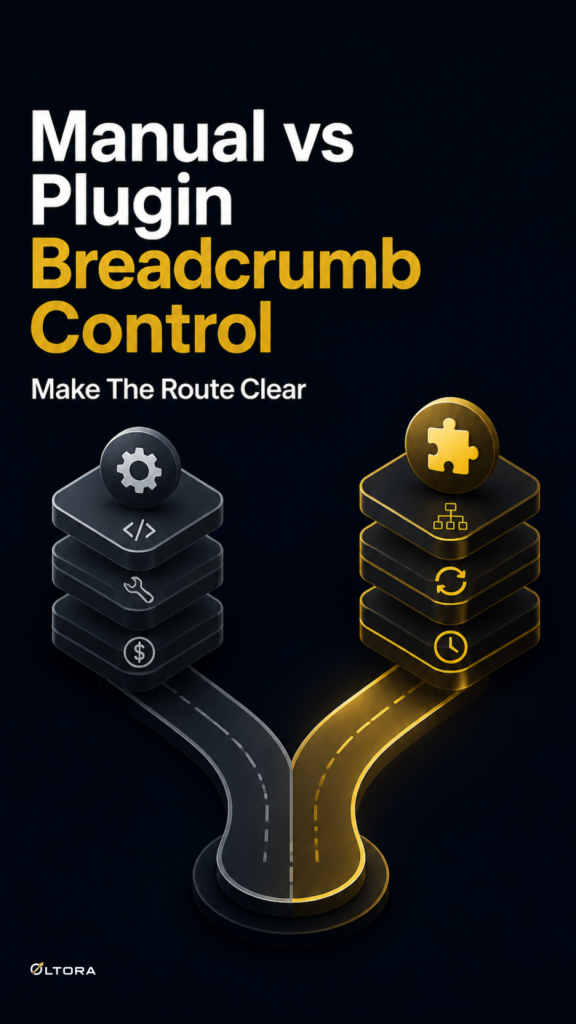
That is where store owners start comparing two ways of working. One option is to keep adjusting the theme or navigation setup whenever the collection changes. The other is to manage breadcrumb rules inside WordPress with a dedicated plugin that can assign different paths to different product categories.
Breadcrumbetor is built for the second approach. It lets you create custom breadcrumb paths for WordPress and WooCommerce, assign them to product categories, replace default category links, connect products to custom landing pages, and manage optional redirects directly from WordPress. For stores that use collection pages as part of their structure, the real question is not whether breadcrumbs exist. It is which workflow will stay easier to maintain as the catalog changes.
Manual theme edits can work, until the collection changes again
A manual approach can make sense when a store is small and the navigation never changes. If your product categories are stable and your breadcrumb trail is always meant to mirror the same hierarchy, there is little to manage.
The trouble starts when a category begins doing more than one job. A collection may be seasonal now and permanent later. A category archive may exist for internal organization, while shoppers are expected to move through a branded landing page instead. In that setup, every change to the collection can create another navigation task.
That usually means one of three things:
- someone has to revisit the theme or navigation setup whenever the collection changes;
- the team has to remember which category should point where;
- the breadcrumb trail falls behind the way the store is actually organized.
If you are comparing cost over time, that matters. A manual breadcrumb adjustment may look simple at first, but it can quietly turn into repeated labor whenever a collection is renamed, split, or paired with a different landing page.
What plugin-based breadcrumb control changes in the maintenance model
A dedicated breadcrumb plugin changes the work from editing structure to managing rules. Breadcrumbetor gives you a central place inside WordPress to create breadcrumb paths, assign them by category, and edit, activate, deactivate, or delete saved rules later.
That matters because the breadcrumb becomes part of the store’s operating system rather than a one-off theme decision. If a category needs a different trail, you can update the rule without touching the template. If a product belongs to a collection that should return shoppers to a more specific page, you can map that path directly.
For stores that use custom collection pages instead of relying only on standard category archives, the benefit is practical. The breadcrumb can still feel deliberate and polished, while the admin work stays centralized.
Breadcrumbetor also supports optional route rules between an original path and a new path. That means a store can keep the breadcrumb logic and, when needed, connect the matching archive or category path to a new destination. The key word is optional. You are not forced to turn every breadcrumb change into a broader site-wide restructuring decision.
Why seasonal collections are the hardest case
Seasonal collections are where breadcrumb management becomes more than a preference. These are the pages most likely to change in name, scope, and destination. A winter collection might become a spring collection. A promotional category may need to point to a campaign landing page for one period and a broader collection page later.
In a manual workflow, that means revisiting the same navigation decisions each time the collection shifts. In a plugin-based workflow, the category can keep its rule while the destination changes with less friction.
That does not mean every seasonal page needs a custom breadcrumb path. Some stores will be better served by leaving the default hierarchy alone. The useful decision is to separate the categories that are stable from the categories that behave like campaigns, curated collections, or branded sections.
If a category only exists because the store needs a clearer merchandising route, it is often a better candidate for saved breadcrumb rules than a category that simply mirrors the backend structure.
What you gain from centralized saved rules
Centralized rules are useful when more than one person touches the catalog. A seasonal collection can be updated by merchandising, content, or store management, and the breadcrumb should still point the right way even after the page changes.
Breadcrumbetor is designed for that kind of controlled flexibility. It includes a dedicated settings area and a paths management page, works inside the WordPress administration area, and does not require theme editing. The interface is available in English and Italian, which can also matter if the store team works across more than one admin language.
It is worth emphasizing the maintenance horizon here. A one-time plugin license is a different cost model from recurring manual work. If a breadcrumb change will be revisited often because the collection is seasonal, branded, or tied to custom landing pages, the cost is not just the plugin itself. It is the time saved by not rebuilding the same rule repeatedly.
Breadcrumbetor’s source material lists unlimited website usage, lifetime license, and lifetime updates. Those facts do not mean the right choice for every store is automatic, but they do explain why the plugin model is attractive when you want the breadcrumb rule to stay in one place for the long term.
When manual breadcrumb updates are still enough
There are cases where manual control is the cleaner answer. If your store uses one or two collections, the category structure is unlikely to change, and the default breadcrumb is already close to the route you want, a plugin may add more machinery than value.
That is especially true when your team does not need to switch between different breadcrumb destinations, or when the category archive itself is the page shoppers should return to. In that setup, a dedicated rule manager may be more capability than you need.
The comparison is not about which option is more advanced. It is about where the ongoing work will live. If the breadcrumb decision will stay fixed, keep it simple. If it will be revisited every time the collection changes, centralizing the rule in WordPress is usually easier to live with.
A simple way to choose
Use the manual route when the category hierarchy already matches the store’s real browsing path and is unlikely to change. Use a plugin-based route when the breadcrumb should follow a branded collection page, a seasonal landing page, or a category-specific path that you expect to adjust later.
For stores that treat collections as living parts of merchandising, the maintenance question matters more than the visual one. A breadcrumb can look tidy either way. What differs is how much effort it takes to keep it aligned.
If you want to review the plugin itself, see Breadcrumbetor – Custom Breadcrumb Plugin for WordPress & WooCommerce.
For related reading, you can also look at How to customize WooCommerce breadcrumbs for products and categories and When one WooCommerce category needs more than one breadcrumb path.
The best breadcrumb setup is the one your team can keep current without rebuilding the same navigation choice every time a collection changes.