
Email Marketing
Why self-hosted email automation is easier to trust
Aug
When your email system and your site do not share the same home
A WordPress site can collect subscribers, customers, and form leads all day and still leave you with a messy question: where does all that contact data actually live? If the answer is a separate platform, a separate login, and a separate set of records to check every time something changes, simple email work starts to feel heavier than it should.
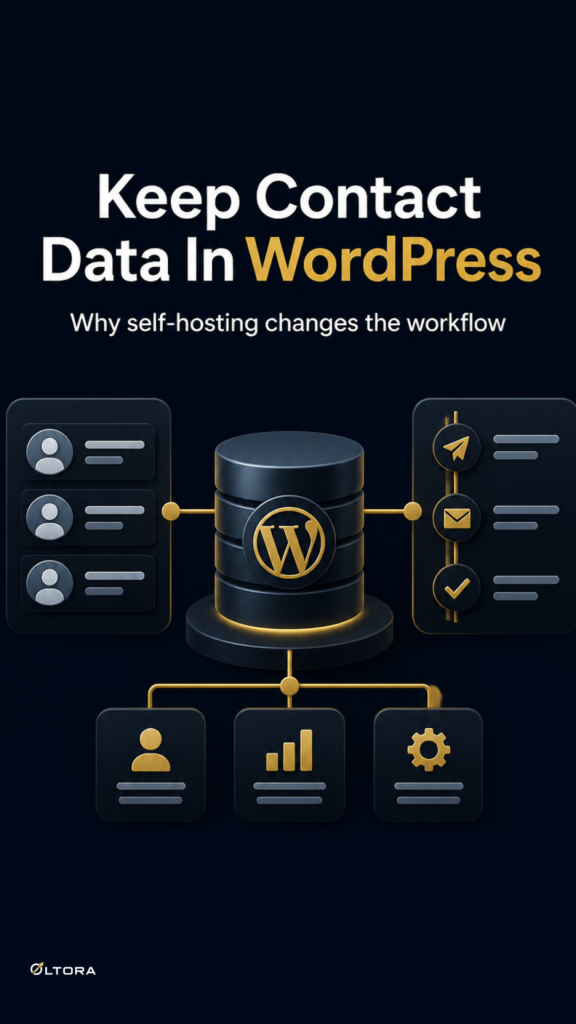
That is the practical appeal of a self-hosted setup. With Oltora Newsletter Pipe, the plugin keeps core newsletter information inside your WordPress environment rather than requiring Oltora to host a separate newsletter contact database for you. For site owners who already manage content, products, and forms in WordPress, that keeps the workflow closer to the place where the work starts.
What “self-hosted” changes in everyday use
The main difference is not abstract. It is operational.
When contacts, sequences, journey organization, delivery history, and tracking records are stored in WordPress, you are not moving between systems just to understand what happened. You can manage the email side of the site in the same environment where the signup, the purchase, or the form submission occurred.
That helps in a few concrete ways:
- you can work from one WordPress admin instead of checking a separate contact platform for the current state of a journey;
- you keep the email workflow tied to the site that captured the contact;
- you reduce the number of places where sequence settings can drift apart;
- you keep the system centered on the WordPress environment you already maintain.
For many site owners, that is the real argument for self-hosted email automation. Not novelty. Fewer handoffs.
What data you actually manage
A self-hosted tool only makes sense if it stores the information you will actually use. Newsletter Pipe is built around the practical contact details and journey records a WordPress site needs to operate email automation:
- email address;
- first name;
- last name;
- subscription status;
- customer categories;
- active email journeys;
- email delivery history;
- estimated opens;
- link clicks;
- WooCommerce order information.
That list matters because it shows the plugin is not just capturing an address and sending a message. It is keeping enough context to support real follow-up. If a buyer completes a purchase, or a subscriber has already moved through a sequence, the system has something to work with.
If you want a broader look at how contacts can enter a journey from different places, the article Route Every Contact to the Right Journey shows the entry side of the workflow. This piece stays focused on where the data lives and why that matters.
Why this matters when your site grows
A small email setup can survive a lot of disorder. A growing one usually cannot.
Once you have newsletter signups, WooCommerce orders, form leads, and ongoing content updates, the system has to remember who is where without forcing you to reconstruct the story each time you edit something. Storing the contact and journey data in WordPress helps because the site becomes the working memory.
That is especially useful if you expect your email work to change over time. You may add new emails to a sequence, build new customer follow-up paths, or create a fresh form that should start a different journey. If the records are part of the site, you are less likely to treat email as a disconnected add-on.
There is also a practical comfort in knowing your site remains the center of the system. You are not depending on a separate newsletter database just to understand who subscribed, what journey they entered, or which records belong to which order.
Self-hosted does not mean hands-off
It would be a mistake to treat self-hosted as a shortcut around normal email setup. Newsletter Pipe still works alongside email delivery providers, SMTP settings, and the usual delivery considerations. The plugin manages the WordPress-side workflow, but external services may still process the information needed to deliver messages.
That means the setup still needs care. Your sending domain, SMTP choice, and delivery configuration still matter. A self-hosted contact database is a control advantage, not a promise that every message will land perfectly by default.
What you gain is clearer ownership of the workflow. What you still need is a sensible delivery setup.
Who benefits most from this setup
A self-hosted model tends to make the most sense for WordPress site owners who already want their email system to live close to the site itself. That includes:
- sites that use WordPress forms to collect leads;
- store owners who want WooCommerce follow-up tied to the same environment;
- publishers who expect their newsletter sequence to evolve over time;
- teams that prefer to keep contact records inside WordPress rather than in a separate newsletter database.
If you are running a site where the contact journey starts on the site and continues on the site, keeping the data there is simply easier to reason about. You do not have to ask which platform knows the truth. WordPress does.
The practical buying question
The real decision is not whether self-hosted sounds appealing. It is whether you want your automation to be anchored in the same place as the rest of your site operations.
If your answer is yes, Newsletter Pipe gives you a direct way to manage contacts, sequences, and delivery records inside WordPress while keeping the email journey extensible as the business changes. That is a cleaner model than stitching together disconnected tools for a workflow you check every day.
If you want to see the product details in one place, start with Oltora Newsletter Pipe.
And if your current setup already includes WordPress forms, WooCommerce orders, or an imported contact list, you can also compare how those inputs fit into a working journey by reading How to turn WordPress forms and newsletter signups into automated email journeys. Together, the two pieces show the structure and the storage side of the same decision.