
SEO Strategy
How to localize breadcrumb rules for large WooCommerce catalogs
Aug
When breadcrumb setup starts to slow down the team
A small WooCommerce catalog can get by with whatever breadcrumb trail the theme already provides. Once the store grows, that same setup becomes harder to manage. Different product groups need different routes. Some categories may point to custom landing pages. Others may need their own breadcrumb wording. If the rules live inside theme files, every small change turns into a developer task.
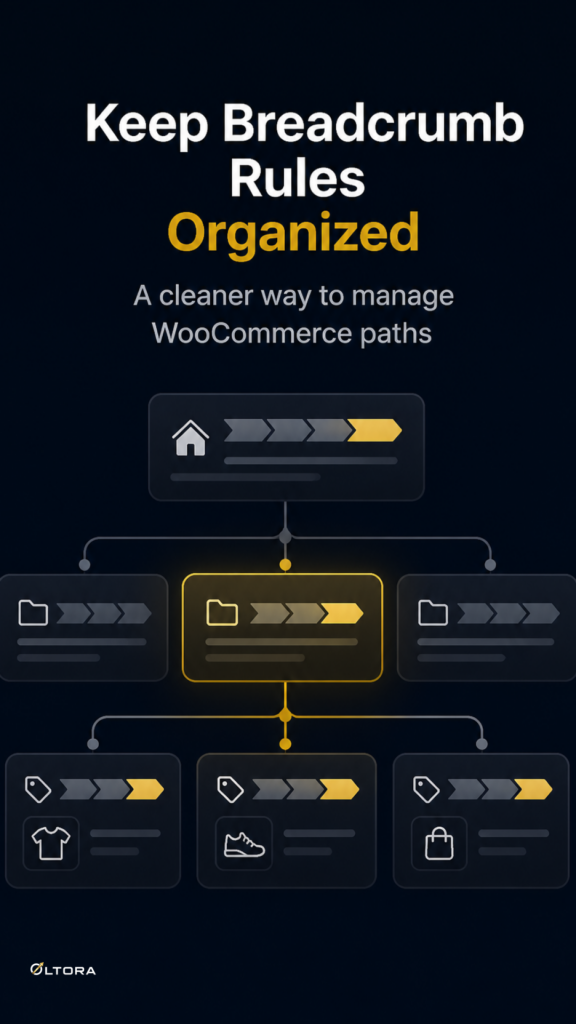
That is the real problem for larger stores: the breadcrumb trail is only one visible line on the page, but behind it sits a navigation system that has to stay organized across many products and categories. Breadcrumbetor – Custom Breadcrumb Plugin for WordPress & WooCommerce gives you a way to manage those rules directly in WordPress, with category-based assignments, optional path redirects, and automatic placement options that do not depend on editing theme code.
If you want the product page to keep its current structure while the breadcrumb itself changes, the question is not “Can WooCommerce show a breadcrumb?” It is “Where should the rule live so the team can keep it under control?”
Separate the breadcrumb from the theme
It helps to treat the breadcrumb as its own layer. The theme decides how the page looks. WooCommerce handles the product data and archive structure. A breadcrumb plugin manages the path that appears above the product title. Those are separate moving parts, and keeping them separate matters when the catalog is large.
When breadcrumb behavior is hard-coded into a theme, every adjustment depends on the same file path. That works until you need different rules for different product categories, or until the store reorganizes its collections. A plugin-based setup keeps the navigation rule in WordPress, where it can be edited, saved, activated, deactivated, or deleted without rebuilding the theme.
That separation is useful for stores with:
- multiple product collections that need different breadcrumb destinations
- category pages that should point to custom landing pages instead of default archives
- products that belong to more than one category and need a defined rule priority
- teams that want to manage changes without touching template files
Start by deciding what each category should point to
Before you create rules, map the role of each category. Some categories should still act like standard archives. Others may work better as branded collection pages. A few may need optional redirects from an older route to a newer one. The important point is that the breadcrumb should match the job of the category, not just the raw taxonomy label.
Breadcrumbetor lets you create custom breadcrumb paths and assign them to different product categories. In practice, that means a category can point to a cleaner destination such as a custom collection page, while the product page still displays a breadcrumb that makes sense to the visitor.
A useful way to think about it is this:
- the product page answers what the item is
- the breadcrumb answers where this item belongs in the store
- the rule tells WordPress which destination should appear for that category
When those three parts agree, the navigation feels deliberate. When they do not, the page may still load correctly but send people to a route that is no longer the best fit.
Use category rules instead of one universal breadcrumb
Large stores rarely need a single breadcrumb pattern for everything. A jewelry collection, for example, may need a different destination than a seasonal bundle or a category built around a specific landing page. Breadcrumbetor supports multiple breadcrumb paths, so you can assign different routes to different product groups instead of forcing every product through the same structure.
This matters because not all categories behave the same way. Some are broad. Some are curated. Some exist mostly to support a landing page. If you use one global breadcrumb, you end up flattening those differences. Category-based rules preserve them.
For stores with a lot of inventory, that also makes maintenance easier. You can review the category assignment once, adjust the path rule once, and keep the product page intact. There is less manual editing, and fewer chances to create a trail that points somewhere unintended.
Plan for products that sit in more than one category
Multi-category products are where breadcrumb management usually becomes messy. A product can belong to more than one collection, but it should not feel ambiguous on the page. Breadcrumbetor supports saved rules and priorities, so you can decide which breadcrumb path should win when more than one category applies.
That choice is less about technical complexity than about keeping the store readable. If a product appears in a primary collection and also in a secondary theme-based category, the breadcrumb should reflect the route you want to emphasize. The key is to preserve a consistent public path while still allowing the product to live in more than one place behind the scenes.
For teams managing larger catalogs, this is the difference between a tidy rule set and a breadcrumb system that slowly becomes unpredictable.
Manage the rules where the team already works
One of the most practical parts of a plugin-based breadcrumb setup is that it stays inside WordPress. Breadcrumbetor includes a dedicated management area where you can create, save, edit, activate, deactivate, and delete breadcrumb paths from the admin area. It also supports English and Italian interfaces, which helps when more than one person needs to understand the setup.
That local admin control matters when you are working at scale. Instead of searching through template files or explaining a custom code change every time the store changes, you can keep the rule set in one place. The team sees the same logic that the site uses.
If your workflow includes a broader WordPress navigation change, the plugin can also help with automatic placement options, WooCommerce hooks, or shortcode fallback. Those options make the breadcrumb easier to place without turning the theme into a special case.
When a redirect rule is useful
Sometimes the breadcrumb destination itself is only half the job. If an older category path no longer matches the way the store is organized, an optional redirect rule can help point that original route toward the newer destination. Breadcrumbetor supports this kind of original-path-to-new-path rule so the breadcrumb and the destination path can stay aligned.
Use that carefully. Redirect rules make sense when the old structure is genuinely out of date and the new page is the one you want shoppers to reach. They are not a substitute for planning. They work best after you have decided which category or landing page should represent the product group going forward.
A cleaner way to keep breadcrumb logic under control
For large WooCommerce catalogs, breadcrumb management is really a workflow problem. The store needs a clear rule for each category, a way to handle products in multiple categories, and a place to manage updates without touching the theme every time the catalog changes.
That is the role Breadcrumbetor is built for. It keeps breadcrumb rules in WordPress, lets you assign them by category, supports multiple paths, and gives you enough control to keep the store’s navigation readable as the catalog grows. If your current setup depends on code edits for every small adjustment, moving the rule set into a dedicated plugin is often the cleaner way to keep the system maintainable.
Breadcrumbetor is most useful when the breadcrumb trail has become part of your store architecture, not just a cosmetic detail.
For related navigation planning, you may also want to read how to customize WooCommerce breadcrumbs for products and categories and custom breadcrumb paths for WooCommerce product pages.