
SEO Strategy
Keep WooCommerce lazy loading visually consistent
Aug
The mistake that makes lazy loading feel broken
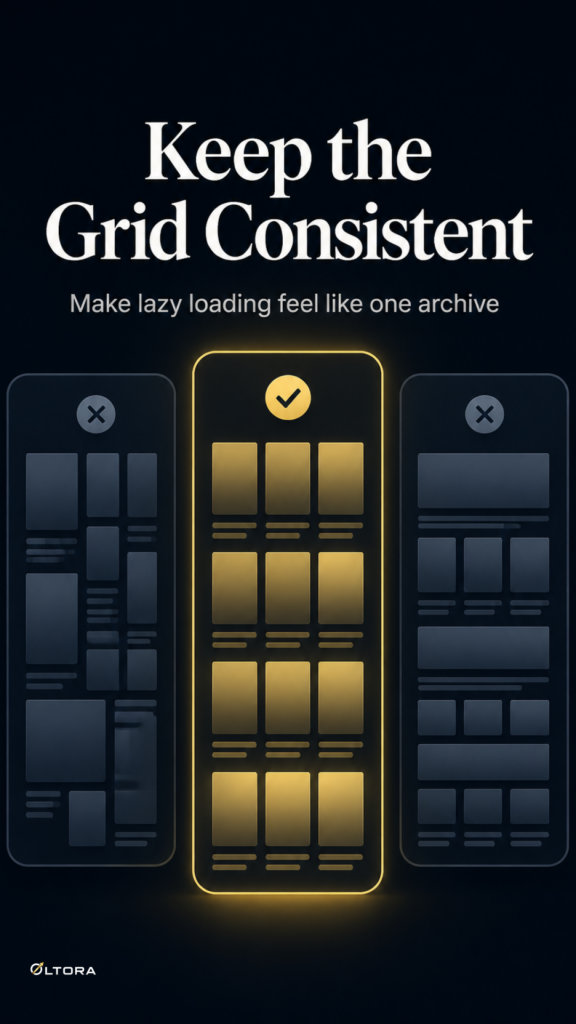
A WooCommerce archive can look polished on page one and still fall apart the moment more products load. The usual mistake is treating lazy loading as a front-end shortcut instead of part of the archive structure. When later products arrive with different spacing, oversized images, duplicate cards, or broken alignment, the page stops feeling like one catalog and starts feeling patched together.
That matters because shoppers do not browse in technical terms. They only notice whether the grid feels stable enough to keep scanning. If every new batch of products looks slightly different, the page asks for more effort than it should.
Scrolletor – WooCommerce Infinite Scroll Plugin is built for this exact kind of catalog browsing. It adds infinite scroll or a Load More button to WooCommerce archives and is designed to preserve the product grid structure used by the active theme.
What usually goes wrong
The problem is rarely the number of products alone. It is the way the loaded content is inserted into the archive. A store can have good product cards on the first screen and still run into trouble when additional items come in from later pages.
- Cards from loaded pages appear outside the existing WooCommerce grid.
- Images or content display at the wrong size because the inserted markup is not handled consistently.
- Duplicate products slip in when more than one loading script is active.
- The result count and visible product set no longer match the page the shopper is actually viewing.
Those are not cosmetic issues. They break the logic of the archive. A visitor who loses trust in the layout is less likely to keep browsing, even if the products themselves are relevant.
Keep the archive structure, not just the loading effect
The cleaner approach is to let one system manage the loading behavior and keep the rest of the archive predictable. Scrolletor is intended to work directly with the WooCommerce Shop page, product categories, product tags, and standard product archives. That gives you a single browsing pattern across the parts of the catalog that matter most.
Just as important, the plugin is designed to preserve the product card structure used by the theme. That means products loaded from later pages remain inside the correct catalog grid instead of showing up as unformatted additions.
For store owners, this is the real decision: do you want lazy loading that only brings in more products, or lazy loading that respects the archive already on the page? The second option is the one that keeps the page readable.
Replace conflicting loading behavior
Many theme-level infinite scroll setups are fine until they meet another script trying to do the same job. That is when duplicate products, layout drift, or loading conflicts tend to appear. Scrolletor is meant to be the main product-loading system for the catalog, so the theme can use standard pagination while the plugin handles the browsing flow.
This is a practical safeguard, not a cosmetic preference. If two systems are loading the same archive, the grid can no longer behave like a single coordinated layout. Setting one clear owner for that job reduces the chance of inconsistent markup making the page harder to scan.
Control how much of the catalog loads at once
Consistency also depends on restraint. A page that keeps loading indefinitely may feel lively, but it is not always the best fit for every catalog. Scrolletor lets you control how many WooCommerce pages can be loaded during one visit. You can limit it to a small range, allow a larger range, or allow all available pages.
That setting helps when you want the archive to stay manageable, especially on large collections. It also gives you a way to keep the browsing experience from becoming too dense too quickly. The page still feels continuous, but it does not have to keep growing without control.
Why result count and URL updates matter
A stable grid is easier to trust when the rest of the archive keeps up with it. Scrolletor can update the browser address as customers move through the catalog, and it can synchronize the visible result count with the products currently shown. That helps the page behave like a coherent archive instead of a list that changes silently in the background.
When the URL reflects the browsing state, the shopper has a clearer sense of where they are in the catalog. When the result count stays in step with what is visible, the page feels more deliberate. These details are small on their own, but together they reinforce the feeling that the grid is still one page, not a series of disconnected loads.
Use lazy loading where it supports the catalog
Not every archive needs the same treatment. Scrolletor can be enabled on the shop page, product categories, product tags, or standard WooCommerce archives, so you can choose where lazy loading helps most. A broad catalog may benefit from it on category pages first. A shop page with many items may need it at the top level. A tag archive may need it only if shoppers regularly browse deep into the list.
The point is not to force the same loading style everywhere. The point is to keep the pages that do use it looking like well-formed WooCommerce archives. If the grid stays consistent, lazy loading feels like part of the store. If it does not, the page starts to look improvised.
That is why the most useful infinite scroll setup is the one that respects the markup already in place. More products are only helpful if they arrive inside a layout shoppers can still read at a glance.
Scrolletor also includes same-origin loading protection, so it only loads additional catalog pages from the same website. That keeps the feature focused on the archive itself rather than introducing outside content into the browsing flow.