
Email Marketing
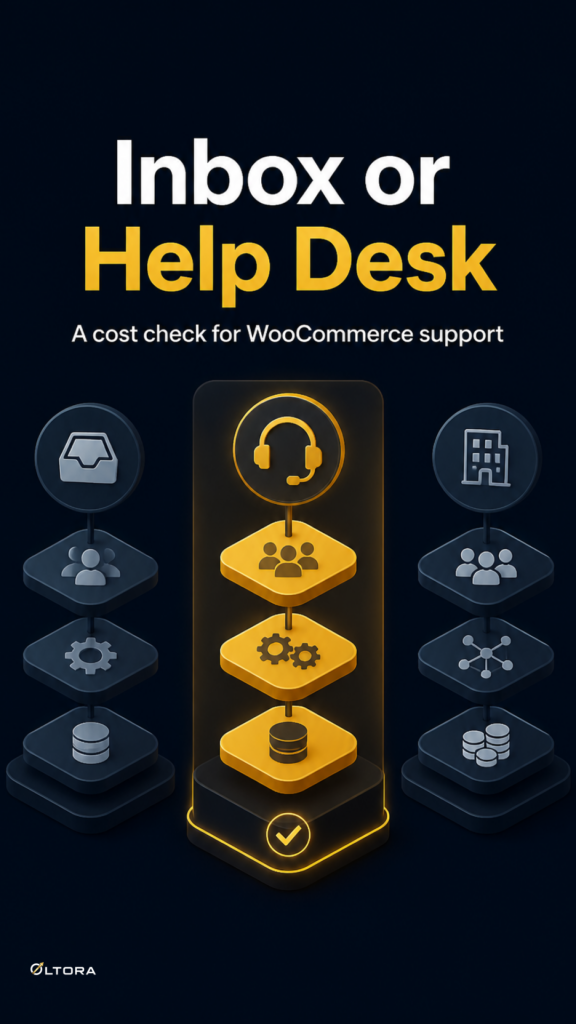
WordPress inbox plugin vs help desk: the real cost tradeoff
Sep
When a help desk feels like too much for ordinary customer email
If most of your support messages are simple order questions, product clarifications, or follow-ups from existing customers, a full help desk can feel heavier than the work itself. You still need to read the message, see who wrote it, understand the purchase, and reply without losing time. The real question is whether that needs a separate support platform or a WordPress inbox that keeps the conversation close to your store. For the product-specific workflow discussed here, see Oltora Inbox – WordPress Email Inbox Plugin for Business & WooCommerce.
That is the decision Oltora Inbox is meant to simplify. It connects your existing IMAP/SMTP mailbox to WordPress, and for WooCommerce stores it can show customer order details beside the conversation. You stay in the dashboard you already use, instead of moving between webmail, WordPress, and a ticketing system just to answer one email. Oltora Inbox is built around that kind of workflow, not around turning every message into a support ticket.
The cost model is not just the plugin price
For a freelancer, consultant, or small store owner, the real cost of support software is usually a mix of three things: the subscription itself, the time spent switching tools, and the maintenance burden that comes with a bigger system. A help desk may be the right fit when you need shared queues, ticket assignment, or support automation. But if you mostly need one person to read, reply, file, and move on, a separate platform can become an extra layer of structure you do not use every day.
A WordPress inbox changes that equation. Instead of paying for a support system whose main job is to manage support operations, you keep the email address you already have and use WordPress as the working surface. That matters because the cost is not only financial. It is also operational: fewer places to check, fewer logins to maintain, and fewer steps between a customer question and a useful answer.
There is a second ownership tradeoff here. Some inbox tools live entirely inside WordPress and can reduce subscription sprawl, but they also ask you to stay responsible for your site stack and mailbox settings. That is a fair trade if your support workflow is straightforward. It is less attractive if you need a larger service layer with routing, approvals, or a team that works tickets in parallel.
What changes when WooCommerce order context sits beside the email
This is where the decision gets more interesting for WooCommerce stores. A customer’s message is rarely just text. It usually comes with a purchase history, a recent order, or at least a clue about what they bought. If you have to look that up in another tab every time, the reply feels slower and more fragmented than it should.
Oltora Inbox can show relevant WooCommerce customer details beside the conversation when the sender matches a customer or order record. That means the person answering can see practical context such as recent orders, order status, purchase totals, and purchased products without leaving the message. For a question like “I have a question about the product I ordered last week,” that context can be the difference between a quick reply and a long detour through admin screens.
That is not the same as a help desk. A help desk is designed to organize service work. A WordPress inbox with order context is designed to make ordinary email easier to answer. If your inbox volume is manageable and your questions are mostly transactional, the simpler tool may be the better fit.
Where the lighter workflow saves more than time
The best argument for keeping straightforward customer email inside WordPress is not convenience alone. It is reducing the number of systems that need to stay synchronized in your head. In a small business, that matters more than it first appears. A message arrives, you identify the customer, you check the order, you reply, and you return to the task you were already doing. The workflow stays narrow.
That narrowness has a maintenance benefit too. A separate help desk often implies a wider operating model: categories, queues, assignments, macros, or multiple support roles. If you do not need those pieces, you may end up maintaining a system whose only daily job is what a connected inbox already handles. The lighter setup can be easier to live with because it fits the actual volume and shape of the work.
This is also where the cost horizon matters. A separate support product may solve a bigger team problem, but if you are a solo operator or a small store, the extra layer can become a recurring expense for features you rarely touch. A WordPress inbox keeps the focus on the existing mailbox and the current website workflow, so the decision becomes one of fit rather than status.
When a help desk still makes sense
A lighter inbox is not a universal replacement. If you need shared ownership, ticket routing, internal notes, escalation rules, or support reporting across a team, a help desk is still the more specialized tool. The same is true if you want customer service to behave like a process with stages and assignments rather than a conversation managed by one person.
That boundary is useful because it keeps the article practical. The question is not whether help desks are good or bad. It is whether your current workload justifies them. For straightforward customer email, especially in a WooCommerce store where the same person often needs both the message and the order context, a WordPress inbox can be the more efficient choice.
A simple way to decide before you buy
Ask three questions before choosing the heavier system. First, do you need ticket routing or just a reliable place to reply? Second, do you want to keep your current mailbox and work from WordPress instead of adding another support platform? Third, would seeing WooCommerce customer information beside the email remove enough friction to matter every day?
If the answers point toward a small, direct workflow, then the cost model is probably leaning toward a WordPress inbox rather than a full help desk. If the answers point toward teams, queues, and structured support operations, the larger system earns its keep.
That is the useful distinction. For straightforward customer email, the right tool is the one that keeps the conversation manageable without making the operation feel bigger than it is.
What to check if you want the inbox route
Before you commit, make sure the mailbox connection is workable for your provider and that you are comfortable connecting through IMAP and SMTP. Oltora Inbox is built to work with existing business mailboxes, and it supports everyday actions like reading, replying, forwarding, attaching files, and using mailbox folders where available. It also saves drafts in the connected mailbox’s Drafts folder, which matters if your work gets interrupted and you need to return later.
For many small businesses, that combination is enough. You keep the current email account, keep the working style inside WordPress, and avoid buying a larger support stack just to answer routine messages. If the work gets more complex later, you can still reassess. But for now, the decision is often simpler than the software market makes it look.