
SEO Strategy
How to localize Buy Now text without slowing WooCommerce checkout decisions
Sep
When the button text has to do more than sound fast
A common hesitation with a direct checkout button is simple: if the label changes, will the store feel less familiar? That concern is reasonable. The button sits at the exact point where a shopper decides whether to keep moving. If the text is too generic, too abrupt, or too unlike the rest of the product page, it can slow the decision the shortcut was meant to help.
That is why the wording matters as much as the routing. Oltora Buy Now for WooCommerce turns the usual Add to Cart step into a direct route to checkout while leaving WooCommerce in charge of the purchase flow and your payment gateway in place. The plugin changes the path, not the checkout system. Once you accept that, the real question becomes: what should the button say so the shortcut still feels native?
Start with the meaning, then shorten it
For a Buy Now button, the first job is clarity. Shoppers do not need a slogan at that point. They need a short action that makes the next step obvious. The inventory supports several plain options: Buy Now, Get Now, Purchase Now, and Order Now. Those examples work because they tell the shopper what happens next without asking them to interpret the interface.
If your store voice is practical, a plain label usually works best. If your brand is a little more promotional, a phrase like Get Now can still feel direct. The main point is consistency. The label should feel like it belongs to the product page, not like it was borrowed from a different store model.
For multilingual stores, brevity matters even more. The shorter the label, the easier it is to keep the translation readable on smaller screens. A long phrase can push the button into the page as if it were an announcement instead of an action.
Use the store language your shoppers already trust
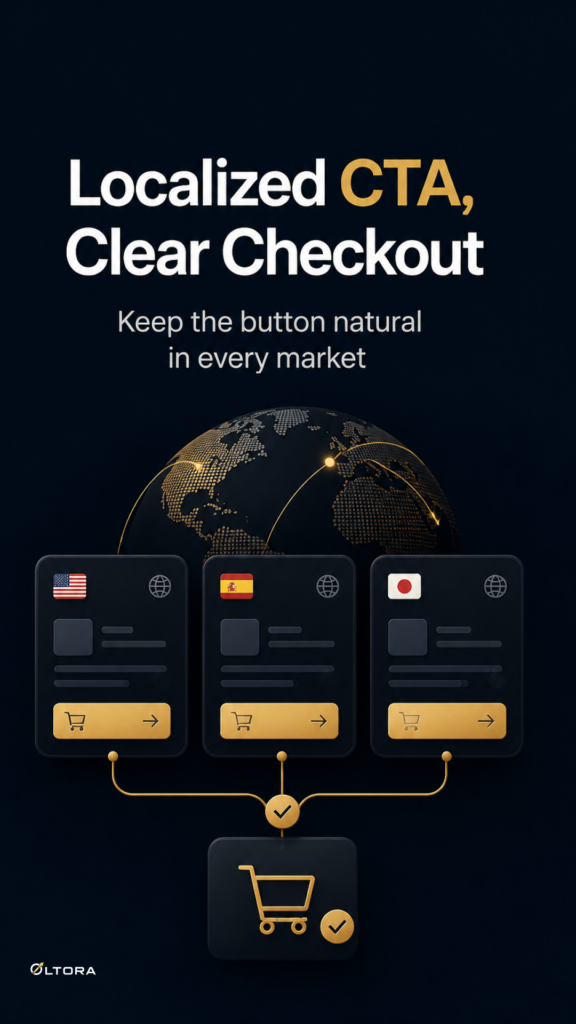
International storefronts create a second problem: the button has to sound natural in each language without changing the buying path underneath it. The inventory includes localized examples such as Acquista ora, Compra subito, Jetzt kaufen, and Acheter maintenant. Those examples are useful because they show the same principle in different markets: keep the action concise and familiar.
A direct checkout button is not the place to test clever copy. If a shopper has to stop and decode the label, the button has already lost part of its advantage. The safer route is to match the language style your product pages already use, then keep the CTA short enough that it still reads cleanly beside the product title, price, and variation controls.
If your site serves more than one market, avoid trying to make one label do every job through extra explanation. A clean translation usually beats an overworked phrase.
Let the button text reflect the product shape
The right label also depends on what kind of product page it sits on. Simple products are straightforward: the button can move shoppers toward checkout once WooCommerce accepts the product. Variable products need more care because the customer must choose a valid variation first. In that case, the button copy should still remain short, but the page needs to make the purchase state obvious so the shopper understands when the product is ready.
That is where clear wording and clear button states work together. A localized label can still be brief while the page itself indicates whether the product is ready, disabled, or pressed. The copy does not need to carry all the logic. It only needs to make the next action recognizable.
For stores that sell both simple and variable items, this balance matters. A label that feels natural on a simple product should not become confusing on a product that requires a choice first. The answer is not to make the CTA longer. It is to keep the label stable and let the product state do the explaining.
Keep the checkout path stable behind the wording
One reason store owners hesitate to customize Buy Now wording is that they do not want the button to create a separate checkout experience. That concern points to the right boundary. The label should change only the language of the action, not the underlying WooCommerce flow.
That distinction makes the maintenance side easier too. If you later refine your copy for another market, you are not rebuilding checkout logic. You are adjusting a small, visible layer on top of a path that already works. The same is true if you decide the wording should sound more direct or more polite for a particular audience. The plugin’s job is still the same: move the shopper from product page to checkout without forcing a cart visit in between.
This is why a lightweight, compatibility-first approach is so useful. A change in CTA text should feel like an editorial decision, not a technical project.
A simple way to choose the right label
- Use a short action phrase that matches your store tone.
- Keep translated versions concise so they remain readable on mobile.
- Let variation selection and button state show readiness on variable products.
- Choose wording that fits your existing product page instead of trying to rebrand the whole checkout.
- Adjust the label when the market or language requires it, not because the button needs attention.
If your current Add to Cart flow feels too long, a direct checkout button can reduce the distance between intent and payment without asking you to replace WooCommerce checkout or your payment gateway. The label is the part shoppers see first, so it deserves the same care you would give a headline or product title. Keep it short, keep it local, and let the purchase path stay steady underneath it.