


Oltora Buy Now for WooCommerce – Direct Checkout Button
Original price was: $39.00.$29.00Current price is: $29.00.
Turn Add to Cart into Buy Now and send shoppers directly to checkout.
Reduce unnecessary purchase steps with a lightweight, customizable WooCommerce Buy Now button designed to preserve your native checkout and payment gateway flow.
Description
Oltora Buy Now for WooCommerce is a lightweight WooCommerce Buy Now Button plugin designed to reduce checkout friction by sending customers directly from the product page to the WooCommerce checkout.
Instead of making shoppers visit the cart before completing their purchase,
Oltora Buy Now creates a shorter buying path:
Product → Buy Now → Checkout → Payment
No custom checkout. No replacement payment system. No unnecessary cart step.
Reduce WooCommerce Checkout Friction
Every additional step between purchase intent and checkout gives the customer another
opportunity to abandon the order.
A standard WooCommerce purchase can follow this path:
Product → Add to Cart → Cart → Checkout → Payment
With Oltora Buy Now for WooCommerce:
Product → Buy Now → Checkout → Payment
The product is still added through the WooCommerce purchasing flow, but the customer
can skip the unnecessary cart visit and continue directly to checkout.
A WooCommerce Buy Now Button Built for Compatibility
Oltora Buy Now was created after we experienced a real compatibility problem while
using a direct-checkout solution together with a modern WooCommerce payment setup.
That experience led us to build Oltora Buy Now differently.
Instead of replacing the checkout or taking control of payment processing,
Oltora Buy Now keeps WooCommerce in control of the purchasing flow.
The plugin focuses on one job: reducing the distance between the product page and
checkout.
Oltora Buy Now does not replace your payment gateway
- It does not create a custom checkout.
- It does not create WooCommerce orders manually.
- It does not replace your payment gateways.
- It does not choose the customer’s payment method.
- It does not create custom card payment fields.
- It does not replace PayPal, Stripe, Google Pay or other payment processing code.
Your payment extensions continue handling payment from the WooCommerce checkout,
where they were designed to operate.
This compatibility-first architecture deliberately minimizes the amount of additional
code inserted between your product page, WooCommerce and your payment extensions.
Direct Product-to-Checkout Flow
When a customer clicks the Buy Now button and WooCommerce successfully accepts the
product, Oltora Buy Now sends the shopper directly to the store’s checkout page.
The plugin supports both the standard WooCommerce single-product purchasing flow
and common AJAX-based single-product flows.
Works with Simple and Variable WooCommerce Products
Simple Products
For a simple WooCommerce product, the customer can click the Buy Now button and
continue directly to checkout after the product has been successfully added.
Variable Products
For variable products, required product options must be selected before the purchase
can continue.
If WooCommerce has not yet identified a valid purchasable variation, Buy Now cannot
proceed.
Once the required attributes have been selected and WooCommerce confirms a valid
variation, the Buy Now button becomes available and the customer can continue toward
checkout.
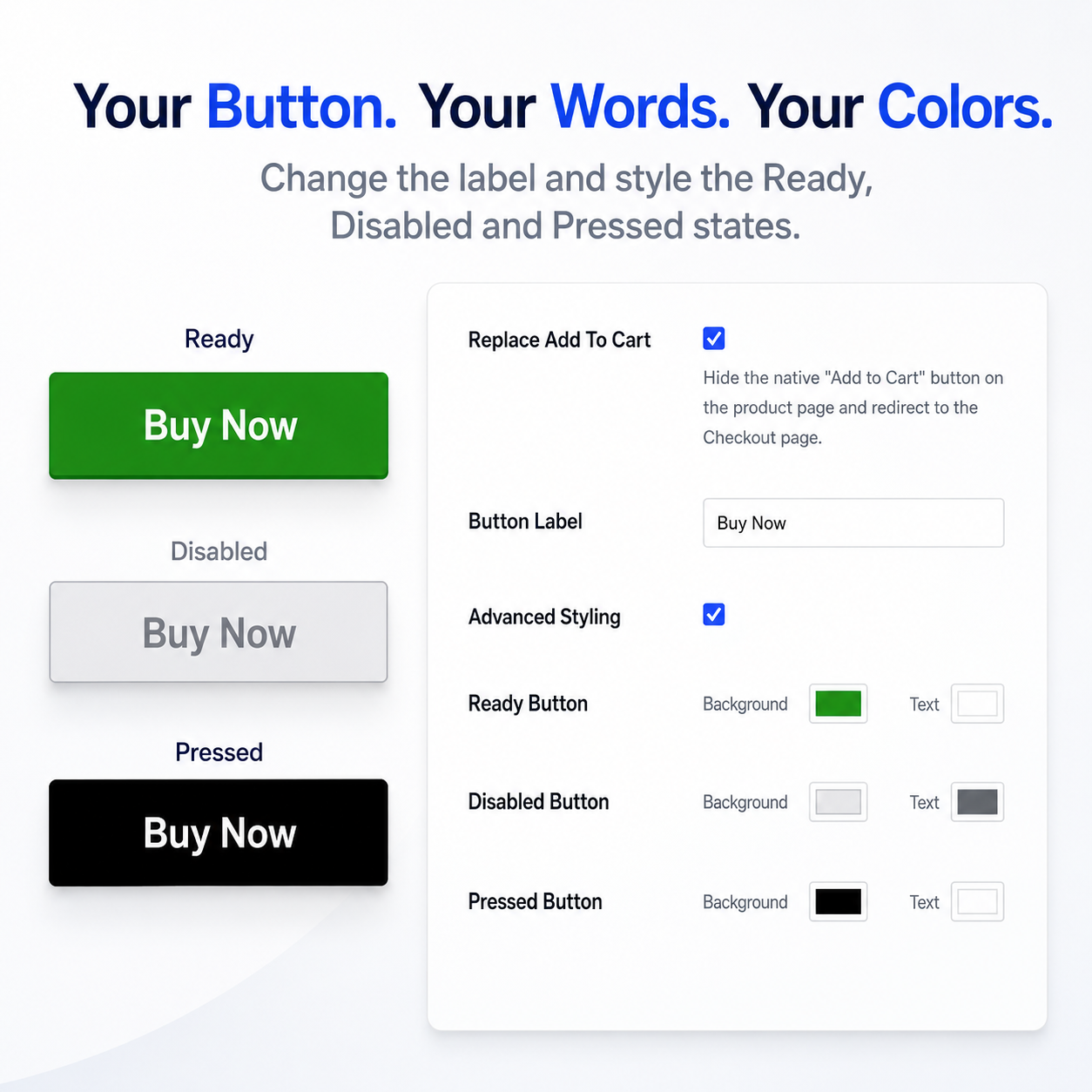
Change the Buy Now Button Text
Your call to action does not have to say Buy Now.
Oltora Buy Now lets you customize the button label to match your store, product,
language or marketing strategy.
Examples include:
- Buy Now
- Get Now
- Purchase Now
- Order Now
- Acquista ora
- Compra subito
- Jetzt kaufen
- Acheter maintenant
You can enter your own button text, making the plugin suitable for international
and multilingual WooCommerce stores.
Use Your Theme Style or Customize the Button Colors
By default, Oltora Buy Now inherits the visual styling provided by your WooCommerce
theme.
This means you can install the plugin and keep the existing design of your store
without creating another visual style to maintain.
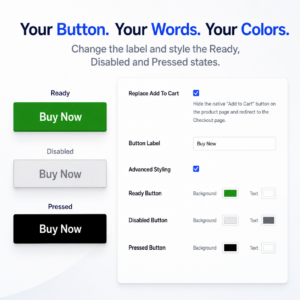
If you want more control, enable Advanced Styling.
Ready Button
Choose the background and text colors shown when the product is ready to purchase.
Disabled Button
Choose separate background and text colors for a button that is not yet available,
for example while a customer still needs to select the required product variations.
Pressed Button
Choose the background and text colors displayed while the customer presses the
purchase button.
These separate states are especially useful for variable WooCommerce products because
customers can visually understand when additional options are required and when the
product is ready to purchase.
Selected Buy Now Plugin Comparison
Oltora Buy Now is intentionally focused on a fast product-to-checkout experience,
payment-flow independence and flexible button customization.
| Selected Feature | Oltora Buy Now | QuadLayers Direct Checkout | FME Quick Buy Now | Addify Quick Buy Now |
|---|---|---|---|---|
| Product directly to Checkout | Yes | Yes | Yes | Yes |
| Custom button label | Yes | Yes | Yes | Yes |
| Theme styling by default | Yes | Not highlighted | Yes | Yes |
| Custom button background and text colors | Yes | Not highlighted | Yes | Yes |
| Separate Ready button colors | Yes | Not highlighted | Not highlighted | Not highlighted |
| Separate Disabled button colors | Yes | Not highlighted | Not highlighted | Not highlighted |
| Separate Pressed button colors | Yes | Not highlighted | Not highlighted | Not highlighted |
| Designed without replacing payment gateway logic | Yes | Not highlighted | Not highlighted | Not highlighted |
Comparison refers only to selected features publicly highlighted in the official
product pages and documentation reviewed in August 2026.
Lightweight WooCommerce Buy Now Plugin
Oltora Buy Now is deliberately focused.
It does not add a checkout builder, funnel builder, payment SDK or another payment
system to your website.
The plugin adds only the functionality required to create a faster WooCommerce
Buy Now experience.
When Advanced Styling is disabled, the plugin does not need to override the visual
appearance provided by your theme.
Built for Modern WooCommerce Stores
Oltora Buy Now declares compatibility with modern WooCommerce architecture including:
- WooCommerce HPOS
- WooCommerce Cart & Checkout Blocks
- Simple WooCommerce products
- Variable WooCommerce products
- Standard product form purchases
- Common AJAX single-product purchasing flows
The plugin is designed to complement the WooCommerce checkout rather than replace it.
Why Choose Oltora Buy Now for WooCommerce?
Fewer Purchase Steps
Skip the unnecessary cart visit and move high-intent customers directly toward checkout.
Compatibility-First Architecture
Keep WooCommerce responsible for products, variations, cart validation and checkout,
while your existing payment extensions continue handling payment.
Custom Call to Action
Use Buy Now, Get Now, Purchase Now, Acquista ora or your own button label.
Advanced Button Styling
Customize Ready, Disabled and Pressed button states independently.
Theme-Friendly by Default
Leave Advanced Styling disabled and the button continues using the appearance provided
by your store’s theme.
Annual License, Updates and Support
An active Oltora Buy Now license includes private plugin updates and product support
for one year.
If the annual license expires, the already-authorized version installed on the licensed
website continues operating. New private updates and support require license renewal.
Frequently Asked Questions
What does Oltora Buy Now for WooCommerce do?
Oltora Buy Now replaces the standard product purchase call to action with a customizable
Buy Now experience and sends the customer directly toward WooCommerce Checkout after
a successful product addition.
Does Oltora Buy Now skip the WooCommerce cart page?
Yes. Its primary purpose is to remove the unnecessary cart-page visit from the
Buy Now purchasing flow and send the customer directly to Checkout.
Does Oltora Buy Now replace my WooCommerce checkout?
No. Oltora Buy Now uses your existing WooCommerce checkout.
Does the plugin replace PayPal, Stripe or other payment gateways?
No. Oltora Buy Now does not replace payment gateways or create its own payment system.
Payment continues to be handled by the gateway extensions available through your
WooCommerce checkout.
Can I change the Buy Now button text?
Yes. You can enter your own button label, including Buy Now, Get Now, Purchase Now or
text in another language.
Can I change the Buy Now button colors?
Yes. You can keep your theme’s default styling or enable Advanced Styling and configure
the Ready, Disabled and Pressed button states independently.
Does Oltora Buy Now work with variable products?
Yes. The purchasing flow respects WooCommerce variation selection. A valid purchasable
variation must be selected before Buy Now can continue.
What happens when my license expires?
The already-authorized installed version continues operating on the licensed website,
but new private updates and support require renewal.
One Click Closer to Checkout
Reduce the distance between purchase intent and payment.
Oltora Buy Now for WooCommerce gives your customers a faster path:
Product → Buy Now → Checkout.
Related products