
Email Marketing
Why SSL, STARTTLS, and app passwords trip up mailbox setup
Sep
When the mailbox is close, but the login still fails
A business mailbox can be active, the address can be correct, and the connection can still fail inside WordPress. That is usually the moment when people start changing several settings at once: a different port, another encryption choice, a new username format, then a fresh test that adds more confusion.
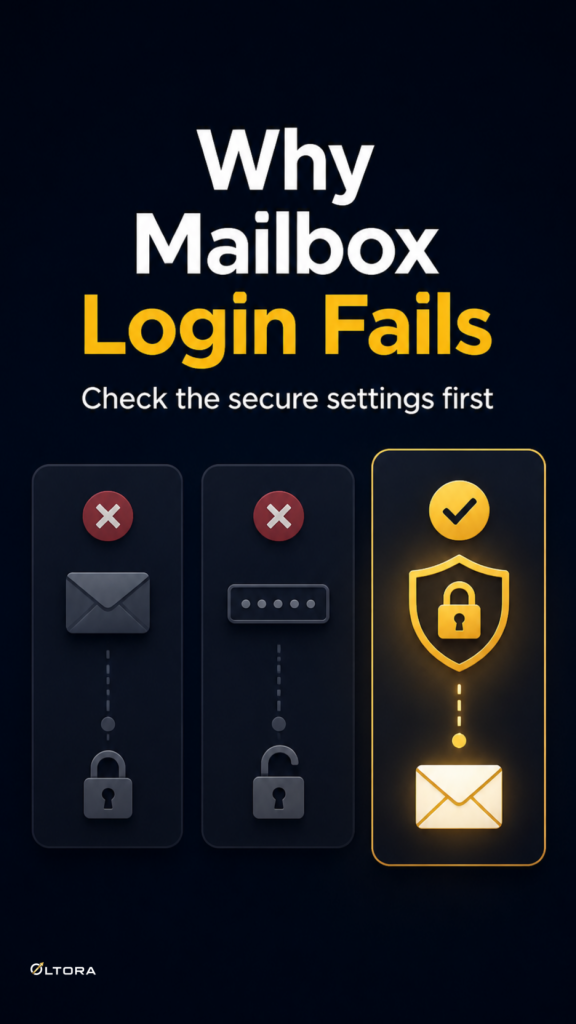
The more reasonable mistake is simpler. People often treat secure connection settings and authentication like small details that can be adjusted later. In practice, they are part of the connection itself. If SSL/TLS, STARTTLS, or an app password does not match the provider’s current rules, Oltora Inbox cannot complete the handshake cleanly, even when the mailbox itself is valid.
For existing Oltora Inbox customers, the cleaner next step is often to stop guessing and get focused help on one defined configuration issue. The Oltora Inbox Premium Assistance add-on is designed for that kind of support: a narrow mailbox problem, tied to the same lifetime license, with time-bounded technical help.
Why secure settings fail even when the address is right
Most mailbox setup problems are not caused by the email address. They come from the layer behind the address. WordPress has to talk to the provider using the right incoming and outgoing rules, and the provider can be strict about how that conversation starts.
Three issues come up often:
- SSL/TLS or STARTTLS does not match the provider. The mailbox may require a specific secure connection mode, and the wrong one can block access before the login is accepted.
- The account needs an app password. Some providers do not want the main account password used in a plugin connection, especially when extra authentication is involved.
- The provider changed requirements. A setup that worked before can stop working after the provider updates its authentication rules or security settings.
That is why a connection test can be frustratingly vague. It may fail without clearly separating an encryption mismatch from a password issue. If you keep editing settings one at a time without a plan, it becomes hard to tell which change helped and which one made things worse.
The mistake: changing everything at once
When a mailbox refuses to connect, the natural instinct is to try every nearby option. That feels productive because each test looks like progress. In reality, it often removes the evidence you need.
If you change the server, the port, the encryption method, and the password approach in one round, the next test tells you very little. You no longer know whether the real issue was the secure connection mode or the authentication method. You just know the last attempt failed too.
A better approach is to treat the problem as one configuration case. Check the provider’s current requirement for the incoming and outgoing sides separately. Confirm whether the account needs an app password. Then test the secure connection path with only one deliberate change at a time. That keeps the problem visible.
What to check before you keep retrying
You do not need to turn this into a full email project. For a focused mailbox repair, the useful questions are practical:
- Is the provider asking for SSL/TLS or STARTTLS on this connection?
- Does the mailbox require a normal password or an app password?
- Are the incoming and outgoing settings both using the provider’s current rules?
- Did the connection start failing after a provider-side change rather than after a plugin change?
If the answer to any of those is unclear, repeated testing may only create noise. The issue is no longer “can the mailbox work?” It is “which exact connection rule is not aligned?” That is a good point to step back and get help from someone who can inspect the setup with you instead of asking you to keep guessing.
When Premium Assistance is the cleaner fix
Premium Assistance makes sense when the problem is narrow and technical enough to fit one defined intervention. For example, you may already know the mailbox should work, but SSL/TLS will not authenticate, STARTTLS is not being accepted, or the provider’s app-password requirement is not clear.
That kind of request fits the service better than a broader email overhaul. Premium Assistance includes two support interventions over 12 months, with up to 30 minutes of technical help per intervention, and it stays linked to your existing Oltora Inbox lifetime license. It is a support layer, not a second plugin license and not a general managed email service.
This matters because it keeps the decision grounded. If the task is one mailbox configuration issue, the support add-on can be the most direct way to move forward. If the task has expanded into unrelated WordPress administration, server work, or a wider email rebuild, it is no longer the same kind of request.
What not to expect from a focused support add-on
A support intervention is useful precisely because it is bounded. That also means it is not the place for every email problem. Premium Assistance is meant for Oltora Inbox configuration and troubleshooting, not broad hosting work, custom development, or third-party account recovery.
So if the real issue is that a provider has changed authentication rules and your WordPress mailbox no longer connects, that is the right shape of problem. If you need full mailbox migration, general server administration, or unrelated plugin work, the issue has moved outside the support boundary.
That distinction saves time on both sides. You stay focused on the specific failure, and the support request stays narrow enough to be handled properly.
Keep the problem small enough to solve
Mailbox setup gets messy when a small authentication mismatch is treated like a broad technical mystery. SSL/TLS, STARTTLS, and app passwords are not decorative details. They are the rules that let the connection happen at all.
If the mailbox is failing at that point, the fastest path is usually to identify the one setting that no longer matches the provider and resolve it as a single case. For existing Oltora Inbox customers, Premium Assistance is the practical option when you want focused technical help without changing your license or turning the issue into a larger project.
The cleaner fix is often not more retrying. It is narrower scope, clearer evidence, and support that matches the size of the problem.