
SEO Strategy
How to Add a Cookie Consent Banner to WordPress Without Hurting Performance
Aug
When the cookie banner becomes the slowest thing on the page
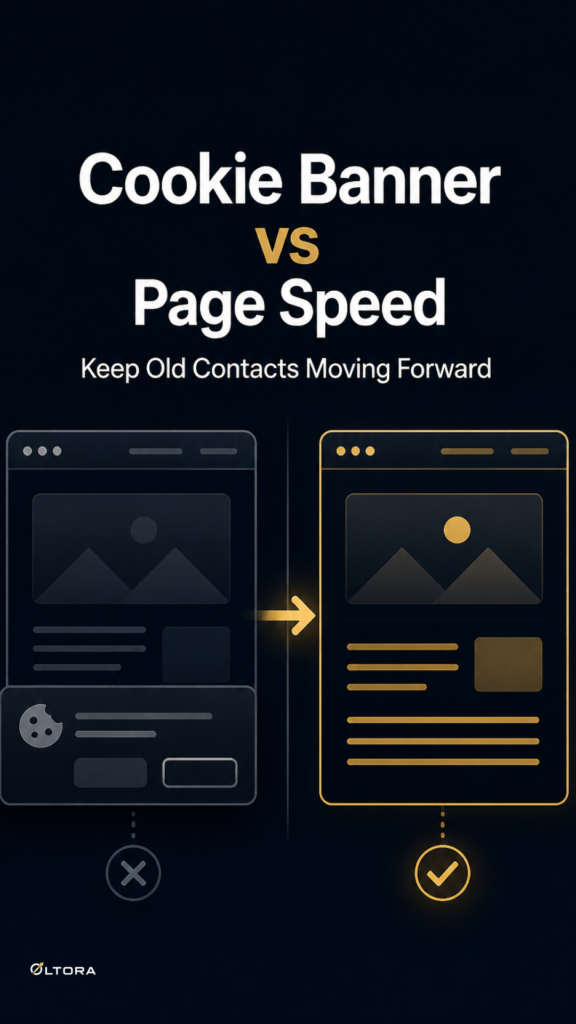
A cookie consent banner is supposed to solve a simple problem: ask for consent clearly enough that visitors can make a choice. On many WordPress sites, though, the banner creates a second problem right away. It adds extra scripts, styles, popups, or delayed overlays that compete with the page content itself. If you are already paying attention to Core Web Vitals, that is the last place you want friction.
The usual pattern is familiar. A site loads, the banner appears, the page shifts, and the visitor has to decide whether to accept, reject, or open settings before they can focus on the actual page. On a WooCommerce store or a business site where speed matters, that can make the first impression feel heavier than the content that follows.
LCP Cookies Lightning was built around a different idea: the consent interface should do its job without becoming the main event. It is a lightweight WordPress consent banner that works with WP Consent API and can integrate with Google Site Kit Consent Mode when Site Kit is installed. The point is not to add another large platform layer. The point is to keep the consent step compact and predictable.
What usually makes consent banners feel expensive
Some consent tools are broad by design. They may include cookie scanning, legal-document tools, geolocation rules, consent records, cloud dashboards, or remote management features. Those can be useful in the right setup, but they are not free in technical terms. More features often mean more moving parts before a visitor has even read the page.
The performance cost usually comes from a few places:
- additional JavaScript or CSS that loads just for the banner
- popup logic that delays the consent message
- images, fonts, or icon libraries inside the banner
- full-screen overlays that interrupt the page flow
- extra layout changes when the banner appears
If the goal is simply to collect consent in a WordPress-friendly way, those extras can be more than you need. They can also make troubleshooting harder, because the banner becomes another front-end system to manage.
A lighter model starts with a narrower job
The advantage of LCP Cookies Lightning is its restraint. It is designed as a performance-first consent interface rather than a full consent-management platform. That means no plugin-owned external banner JavaScript, no plugin-owned external banner CSS, no jQuery, no images, no animation library, and no delayed popup framework. The banner is intended to stay out of the critical rendering path.
That design choice matters for two reasons. First, it helps reduce the chance that the consent notice itself becomes the page’s Largest Contentful Paint. Second, it avoids the kind of layout push that can contribute to Cumulative Layout Shift when a banner appears. The interface is fixed-position rather than inserted into the normal page flow, so the page content does not need to be shoved out of the way.
For a store owner or developer, that changes the conversation. You are not asking, “How much can this banner do?” You are asking, “How little does it need to do while still handling consent properly?”
How the integration is structured
The core integration is WP Consent API. That is the system the plugin uses to communicate the visitor’s choice to other compatible WordPress tools. In practical terms, LCP Cookies Lightning acts as the banner a visitor sees, while WP Consent API carries the consent state to the rest of the site.
The standard consent categories communicated by the plugin are Functional, Preferences, Statistics, Anonymous Statistics, and Marketing. It uses an opt-in model, so optional categories are not treated as accepted until the visitor actively allows them.
If your site already uses Google Site Kit, you can enable Site Kit Consent Mode as well. In that setup, the flow is straightforward: visitor choice goes through the banner, WP Consent API carries the choice, and Site Kit manages supported Google tag consent behavior. Google Site Kit is optional, not required.
That distinction is useful. Some sites only need a clear banner and standardized consent communication. Others already rely on Site Kit and want the banner to fit into that workflow without introducing a second competing consent implementation.
Why the smaller banner can feel easier for visitors too
Performance is only part of the story. The banner’s size and shape affect how the first visit feels. LCP Cookies Lightning is intentionally compact rather than full-screen. When there is enough screen width, the three primary actions stay on one line: Reject Optional, Settings, and Accept All. That keeps the decision visible without forcing people through a large modal window.
That kind of interface is especially useful on pages where the visitor came for something specific: a product, a guide, a contact page, or a checkout flow. The banner still asks for consent, but it does not try to dominate the page.
After the choice is saved, the main banner disappears and a small Cookie Settings control remains available. That gives visitors a way to revisit their preferences without making the page feel permanently occupied by a privacy dialog.
When this approach fits best
This style of consent banner is a good fit when the site owner already values a lean WordPress stack. That includes:
- WooCommerce stores that are tuning page speed and archive behavior
- business websites that want a simple consent layer without a large CMP
- blogs where the page content should stay visually central
- sites that already use WP Consent API or Google Site Kit
- teams that prefer a narrow tool instead of a broader consent platform
It is less about replacing every consent-management feature in the market and more about matching the tool to the actual job. If you need cookie scanning, geolocation rules, or cloud-based consent records, a broader platform may be the better fit. If you need a fast, clear consent interface that communicates through WP Consent API, a lighter banner may be the cleaner choice.
What to think through before you add any banner
Before choosing a consent solution, it helps to separate three questions that often get mixed together.
- Does the site need a visible consent interface?
- Which consent categories actually need to be communicated?
- How much front-end weight can the site afford before the banner starts affecting performance?
That last question is the one many teams skip. They focus on compliance and forget that the banner is still part of the page experience. If the interface adds unnecessary overhead, it can work against the same performance improvements the rest of the site is trying to protect.
A lightweight banner does not solve every privacy workflow by itself. LCP Cookies Lightning does not claim automatic cookie scanning, legal-document generation, geolocation rules, or universal control over every third-party script. What it does offer is a cleaner consent layer that respects the architecture of a performance-focused WordPress site.
Choose the banner that matches the rest of the stack
If your site is already being optimized for speed, the consent banner should follow the same logic. Keep the interface clear. Keep the dependencies minimal. Keep the integration aligned with WP Consent API and, when needed, Google Site Kit Consent Mode.
That is the real decision: whether your consent banner will behave like a small supporting element or another heavy system in disguise. For many WordPress sites, especially WooCommerce stores and lean business installs, the smaller answer is the better one.
You can review the plugin here: LCP Cookies Lightning.